Need help?
Do you have a question about the Bluesound HUB and is the answer not in the manual?
Enables wired audio devices to act as whole-home sources, streaming music over the network.
Wirelessly streams turntable audio using the built-in moving magnet phono stage.
Integrates with the BluOS app for network connectivity and player control.
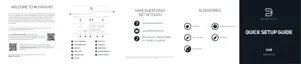
Lists the essential accessories provided with the Bluesound HUB unit.
Details the LED blink codes and their corresponding descriptions for unit status.
Explains the functions of the button for standby, upgrade, and factory reset modes.
Describes all physical input/output ports including LAN, USB, HDMI, Coax, Optical, Analog, and Phono.
Provides instructions on where to place the HUB for optimal audio source connection.
Details how to connect the HUB to a network via Ethernet or Wi-Fi.
Guides on how to select and play sources using the BluOS App.
Explains simultaneous streaming limits and multiple HUB usage on a network.
Warns about data loss during factory reset, including Wi-Fi config and playlists.
Provides a step-by-step guide to perform a factory reset on the HUB.


 To Next Page
 General