
 Need help?
Do you have a question about the Bluesound POWERNODE EDGE and is the answer not in the manual?
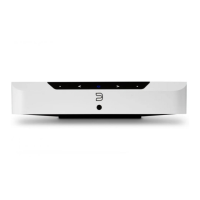
Controls playback, indicates status, and initiates factory reset. Used for grouped playback control.
Allows skipping to the previous or next track in the current play queue.
Tap to adjust volume in 1db intervals or press and hold for rapid volume changes.
Connect passive loudspeakers to the designated SPEAKER LEFT and RIGHT terminals.
Connect to a powered subwoofer via the SUBW OUT port for enhanced bass.
Connect an infrared extender for remote control functionality when the front sensor is obstructed.
Audio input for sources supporting eARC, typically for TV audio.
Connect analog or digital optical sources using 3.5mm or Toslink adapters.
Wired Ethernet connection for network setup and optimal performance.
Connect USB mass storage devices for music playback or manual software upgrades.
Connect the appropriate AC power cord for your region to supply power to the unit.
Steps for mounting the POWERNODE EDGE using the provided bracket and screws.
 General
| Power Output | 2 x 40W into 8 ohms |
|---|---|
| Hi-Res Audio | Yes |
| Native Sampling Rates | Up to 192 kHz |
| Ethernet | Gigabit Ethernet RJ45 |
| High-Resolution Audio Support | Yes |
| Frequency Response | 20Hz - 20kHz |
| Inputs | HDMI eARC, Optical |
| Wireless Connectivity | Wi-Fi, Bluetooth |
| Dimensions | 219 x 46 x 193 mm |
| Audio File Formats | MP3, AAC, WMA, OGG, ALAC |
| Bit Depths | 16 - 24 bit |
| DAC | 32-bit |
| USB | Type A (for external drive connection) |
| Audio Output | Subwoofer Output |
| Speaker Terminals | Binding Post (Banana Plug Compatible) |
| Control | BluOS App, IR Remote |
| Processor | ARM Cortex A53 Quad-Core |
| Amplifier Type | HybridDigital Amplifier |
| Outputs | Subwoofer Output |
| Operating Temperature | 0°C to 35°C |

 To Next Page