Quick Install Guide for p2p Bluestork Cameras (PC)
129
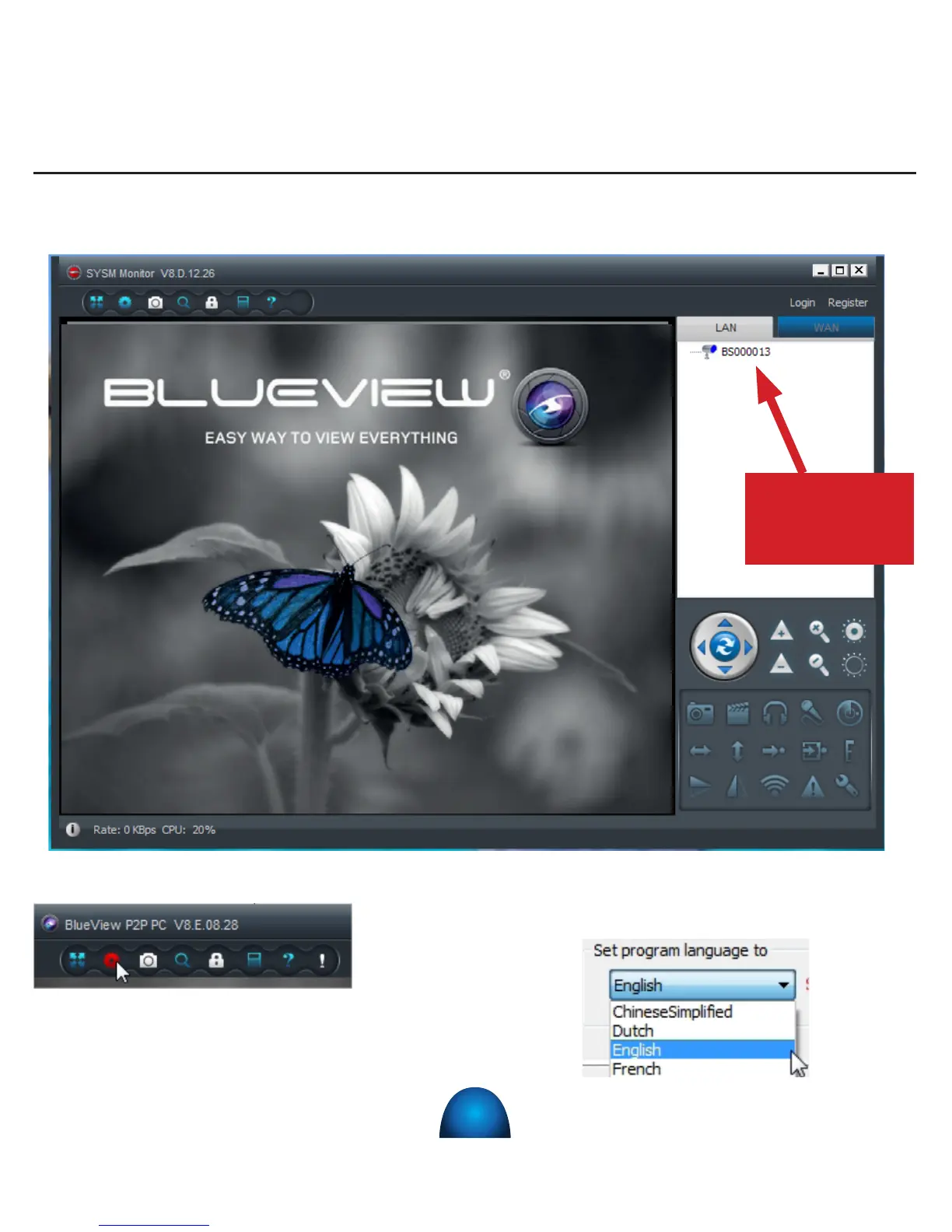
The following screen appears :
To change the language, click on the icon « Settings » on the top left of the window.
Select your language in the drop-down menu
and click on « OK ». You need to restart the
software in order to make the change eective.
Your cameras
appear here


 To Next Page