Quick Install Guide for p2p Bluestork Cameras (PC)
131
Setting the Wi-Fi access:
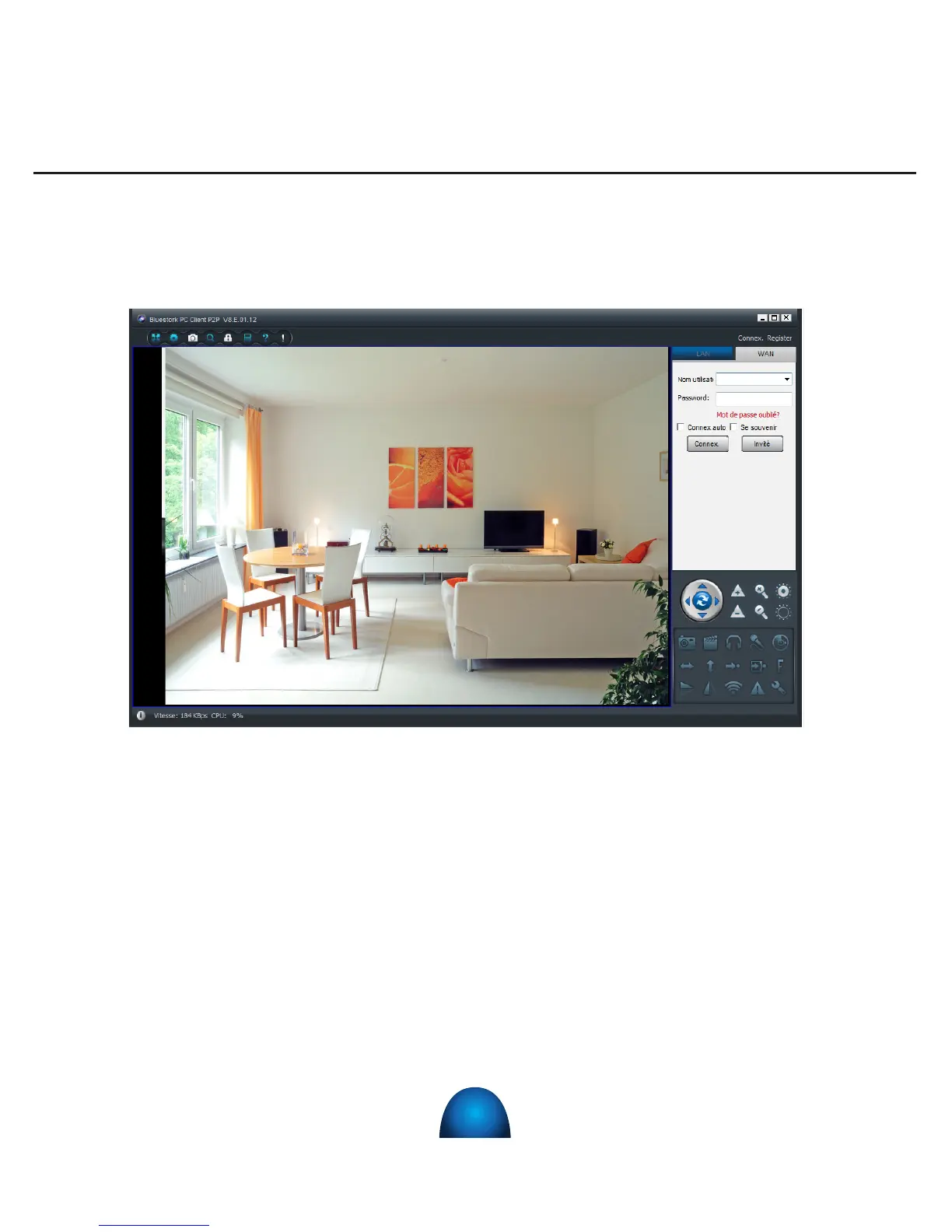
1) For the conguration on «Remote Use» or «WAN», click on the « WAN » on the
right. The following screen appears:
2) Enter the password (which is written on a label under the camera with the
mention « login » or « password »).
3) Tick « Auto login» and/or « Save Password» in order not to have to enter the
password for the next use of the software.
4) Click on « Login ». Your camera is now installed on « WAN » distant mode.
.
5) Connection of the camera to the WIFI network :
• Go back to the « LAN » tab and right click on the camera n°.
• In the drop-down menu, select « Set WIFI connection »


 To Next Page