BMANI
Customer Service
Email: support@bmani.net
Web:(www.bmani.net Q)
What's in the box?
Charging Case xl
Type-C Cable xl
User Manual xl
O O
Overview
Volume +
Volume —
Charging Contacts
MIC
Charging Pins
Charging Case
power Display
o
Product Parameters
1 .Supports: HSP/HFP/A2DP/AVRCP
2.Charging Interface: Point-Contact
3.Charging Port: Type-C
LED Indicator Light
Charging Port
Earbuds
Power Display
How to Reset?
O Turn off the bluetooth of all devices (make sure the earbuds are
turned on and not connected).
Click the Multi-functional button of two earbuds for 4 times.
o
O O
Wireless Earbuds x2
S
Ear Tips x3
o
o
Maintenance
After a period of use, the charging metal contacts of the earbuds
may be contaminated with sweat and dirt, resulting in the
earbuds aren't able to power on, charge, or having connection
issues, and the protective grille Of both earbuds may accumulate
earwax and dust, resulting in muffled volume. Please use the
supplied cleaning swab to remove dust or earwax from the
charging contacts and the protective grille.
charging contacts
protective grille
4.Battery Capacity: (Li-ion battery inside) Earbud: 50mAh
Charging case: 600mAh
5.Battery Life: Actual battery life changes with the song types
and volume requirements
6.Standby Time: Up to 100 hours
7 .Charging Time: 1-1.5 Hrs for earbuds / 2Hrs for charging case
8. Transmission Range: 33 feet (with no obstacle)
9.Earbud Weight/Size: 0.28 oz/PC; 2.1'1.4'1.O in
IO.Charging Case Weight/Size: 2.19 oz/PC; 3.62.4'1.3 in
T 16 User Manual
True Wireless Sports Earbuds
Note: Please Remove Protective Films of The LED Power Display
and Charging Contacts Before Using It.
Click 4 times
O Put the earbuds back into the charging case.
O Take out the earbuds from the charging case and they enter
pairing mode (Pairing mode: one earbud will flash red and blue
alternately, the Other will slowly flash blue).
O Search for "T 16" and tap to connect on your device.
O If the reset fails, please repeat the above steps.
Tips: The earbuds cannot be reset when they are powered off or
connected.


 To Next Page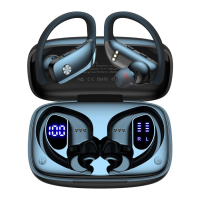


 General