Owner's Manual
KARAOKE SOUND PROCESSOR
Contens
USING THE UNIT SAFELY . . . . . . . . . . . . . . . . . .. . . . . . . . . . . . . . 2
IMPORTANT NOTES 3 . . . . . . . . . . . . . . . . . . . . . . . . . .. . . . . . . . . . .
Main Features 4 . . . . . . . . . . . . . . . . . . . . . . . . . . . .. . . . . . . . . . . . . .
Panel Descriptions 5
Front Panel 5
Rear Panel . . . . . . . . . . . . . . . . . . . . . . . . . . . . . . . . . . . . . . . . . . 6
. . . . . . . . . . . . . . . . . . . . .. . . . . . . . . . . . . . . . .
. . . . . . . . . . . . . . . . . . . . . . . . . . . . . . . . . . . . . . . . .
Basic Operation 7
Turning the Power on 7
Turning the Power off . . . . . . . . . . . . . . . . . . . . . . . . . . . . . . . . 7
Top Screen. . . . . . . . . . . . . . . . . . . . . . . . . . . . . . . . . . . . . . . . . . 7
Moving the Cursor . . . . . . . . . . . . . . . .. . . . . . . . . . . . . . . . . . . . .7
Displaying the Advanced Settings Screen . . . . . . . . . . . . . . . . . 7
Changing a Value . . . . . . . . . . .. . . . . . . . . . . . . . . . . . . . . . . . . 7
Editing the KSP-50's Basic Parameters . . . . . . . . . . . . . . . . . 7
. . . . . . . . . . . . . . . . . . . . . . . . . . . . . . . . . . . . . . . .
. . . . . . . . . . . . . . . . . . . . . . . . . . . . . . . . .
Convenient Functions 8
Saving Scenes . . . . . . . . . . . . . . . . . . . . . . . . . . . . . . . . . . . . 8
Calling up Scenes . . . . . . . . . . . . . . . . . . . . . . . . . . . . . . . . . 8
Music Tone Change and Automatic Restore . . . . . . . . . . . . . 8
Sing/Disco mode and Auto Change Function .. . . . . . . . . . . . 8
Factory Reset . . . . . . . . . . . . . . . . . . . . . . . . . . . . . . . . . . . . . .8
. . . . . . . . . . . . . . . . . . . . . . . . . . . . . . . . . .
Changing the Settings 9
Auto Return Function . . . . . . . . . . . . . . . . . . . . . . . . . . . . . . . 9
Setting the MIC Parameters . . . . . . . . . . . . . . . . . . . . . . . . . . 9
Setting the MUSIC Parameters . . . . . . . . . . . . . . . . . . . . . . .11
Setting the OUTPUT Parameters . . . . . . . . . . . . . . . . . . . . 11
Setting the SYSTEM Parameters. . . . . . . . . . . . . . . . . . . . . .13
. . . . . . . . . . . . . . . . . . . . . . . . . . . . . . . . .
Appendix 14
Block Diagram . .. . . . . . . . . . . . . . . . . . . . . . . . . . . . . . . . . . 14
Specifications . . . . . . . . . . . . . . . . . . . . . . . . . . . . . . . . . . . . . 15
. .. . . . . . . . . . . . . . . . . . . . . . . . . . . . . . . . . . . . . . . . .
Before using this unit, carefully read the sections entitled: “USING THE UNIT SAFELY”(p .2) and “IMPORTANT NOTES”(p .3) . These sections provide
important information concerning the proper operation of the unit. Additionally, in order to feel assured that you have gained a good grasp of every feature
provided by your new unit, read Owner’s Manual in its entirety. This manual should be saved and kept on hand as a convenient reference.
Copyright © 2017 BMB International Corp.
All rights reserved. No part of this publication may be reproduced in any form without the written permission of BMB International Corp.
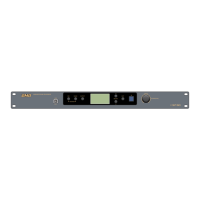
KARAOKE SOUND PROCESSOR
USB
ENTER(PUSH)
VALUE
MIC MUSIC OUTPUT EXIT
IR
SELECT
SYSTEM
K

 To Next Page
 Need help?
 General