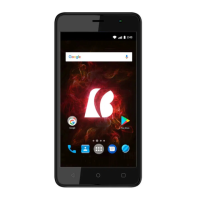
Need help?
Do you have a question about the Bmobile SERIE AX and is the answer not in the manual?
Covers safety guidelines for phone usage, battery, and charger to prevent hazards like overheating or fire.
Outlines safety measures for using the charger, preventing electric shock, fire, and damage.
Provides instructions on cleaning the phone, battery, and charger, and maintaining clean power sockets.
Details environmental and usage precautions for the phone, battery, and charger, including disposal.
Diagram illustrating the external components of the AX823 mobile phone with numbered labels.
Lists and describes the function of each component of the mobile phone.
Step-by-step guide on how to install a SIM card into the device, including opening the back cover.
Instructions for installing a memory card to expand storage for images, videos, and music.
Procedure for installing the battery correctly by aligning contacts and securing the back cover.
Guidance on charging the battery using the provided AC adapter and USB cable, including charging indicators.
Instructions on how to turn the phone on and off using the power button and confirming options.
Explains how to navigate between different home screen layouts and access the main menu.
How to view, manage, and clear notifications from the status bar and notification window.
Steps to create shortcuts and add widgets to the home screen for quick access to apps and information.
Guide on how to move icons and widgets on the home screen, including entering and exiting move mode.
Information on using the camera, emphasizing the need for a memory card to store captured pictures.
Details on accessing the internet via WIFI, GPRS, EDGE, WCDMA, and setting up VPN or proxy connections.
Explains how to use the phone as a U-disk for data transfer when connected to a PC via USB.
Instructions on playing music files stored on the memory card or phone storage.
How to establish wireless connections with other devices for data transmission and file sharing.
Guide on using the FM Radio application, requiring earphones for proper operation.
Details on using the calculator for basic arithmetic operations and advanced functions.
States the conditions under which the device complies with FCC Part 15 rules regarding interference.
Warns that unauthorized modifications may void the user's authority to operate the equipment.
Details the phone's compliance with government requirements for exposure to radio waves and SAR limits.
Explains FCC RF exposure limits (SAR) and guidelines for maintaining compliance during body-worn operations.
Specific requirements for body-worn operations, including minimum separation distance and accessory guidelines.
 General
| Operating System | Android |
|---|---|
| Internal Storage | 8GB |
| SIM | Dual SIM |
| CPU | Quad-core 1.3 GHz |
| Expandable Storage | Up to 32GB |
| Network | 3G |
| Processor | Quad Core |

 To Next Page