Installation and user manual – Dynamicroll® Frigo 2
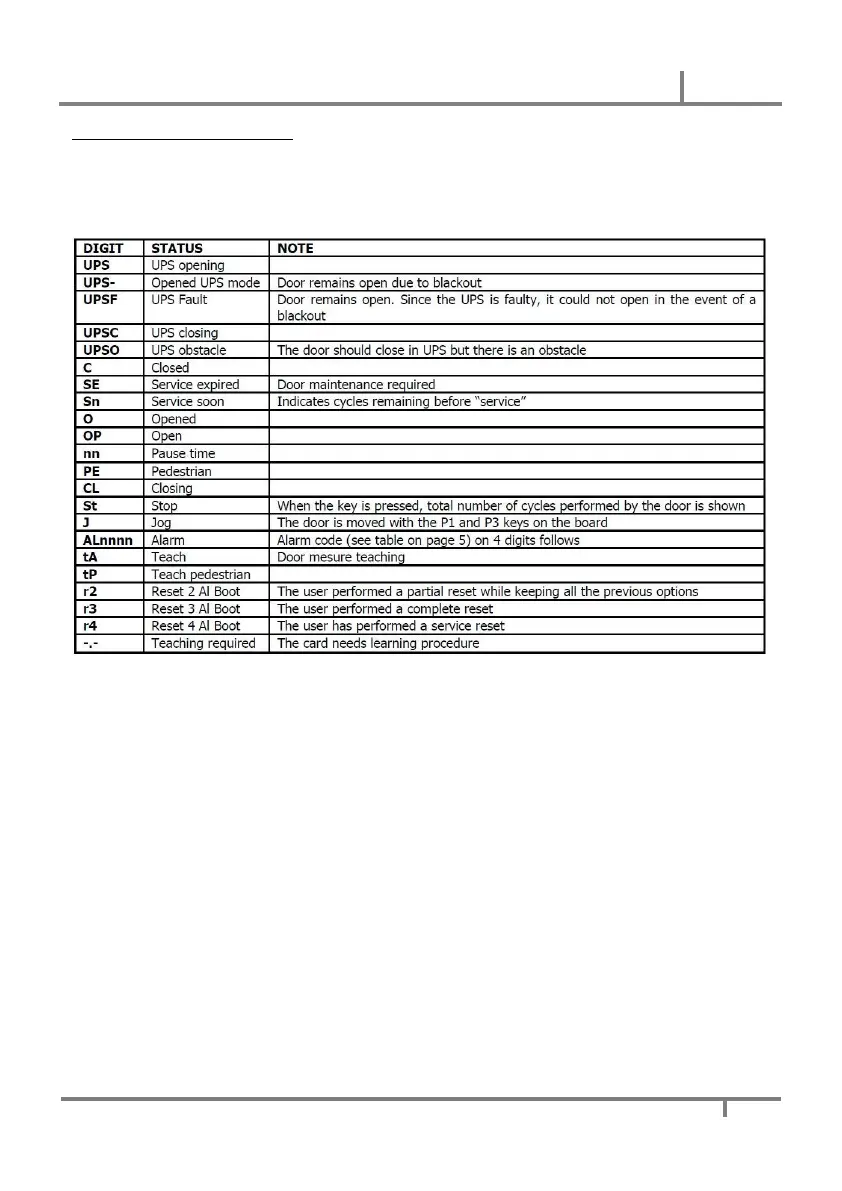
Display functions with Stop pressed
Once STOP has been pressed, the main parameters can be adjusted using the buttons on the card. With STOP
pressed, after the cycles count, press P2 for at least 3 sec, the letters will appear on the display as in the table
below. You pass from one parameter to the next by pressing P2. Releasing the STOP, the card saves the set
values and returns to normal operation.


 To Next Page