Activating/deactivating digital keys
in the vehicle
A digital key can be temporarily deactivated.
In order to activate and deactivate a digital key,
there must be a vehicle key in the vehicle or an
active digital key belonging to the vehicle owner
in the smartphone dock.
Via iDrive:
1. "CAR"
2. "Settings"
3. "Doors/Vehicle access"
4. "BMW Digital Key"
5. Select the desired digital key.
6. "Digital Key active"
A deactivated digital key will remain in the list of
registered digital keys.
Removing digital keys in the vehicle
In order to remove a digital key, there must be a
vehicle key in the vehicle or another active digital
key belonging to the vehicle owner in the smart‐
phone dock. To remove all digital keys, there
must be a vehicle key in the vehicle.
The key card cannot be removed.
Via iDrive:
1.
"CAR"
2. "Settings"
3. "Doors/Vehicle access"
4. "BMW Digital Key"
5. Select a digital key if applicable.
6.
▷ "Remove Digital Key"
The digital key is removed from the list of
registered digital keys.
▷ "Remove all Digital Keys"
Resetting BMW Digital Key
To reset BMW Digital Key, there must be an au‐
thorised vehicle key in the vehicle.
Following the reset, it will no longer be possible
to lock, unlock or start the vehicle with a digital
key.
The vehicle owner must provide the Service
Partner with evidence of his/her authorisation for
the vehicle in order to use BMW Digital Key
again.
Via iDrive:
1. "CAR"
2. "Settings"
3. "Doors/Vehicle access"
4. "BMW Digital Key"
5. "Reset function"
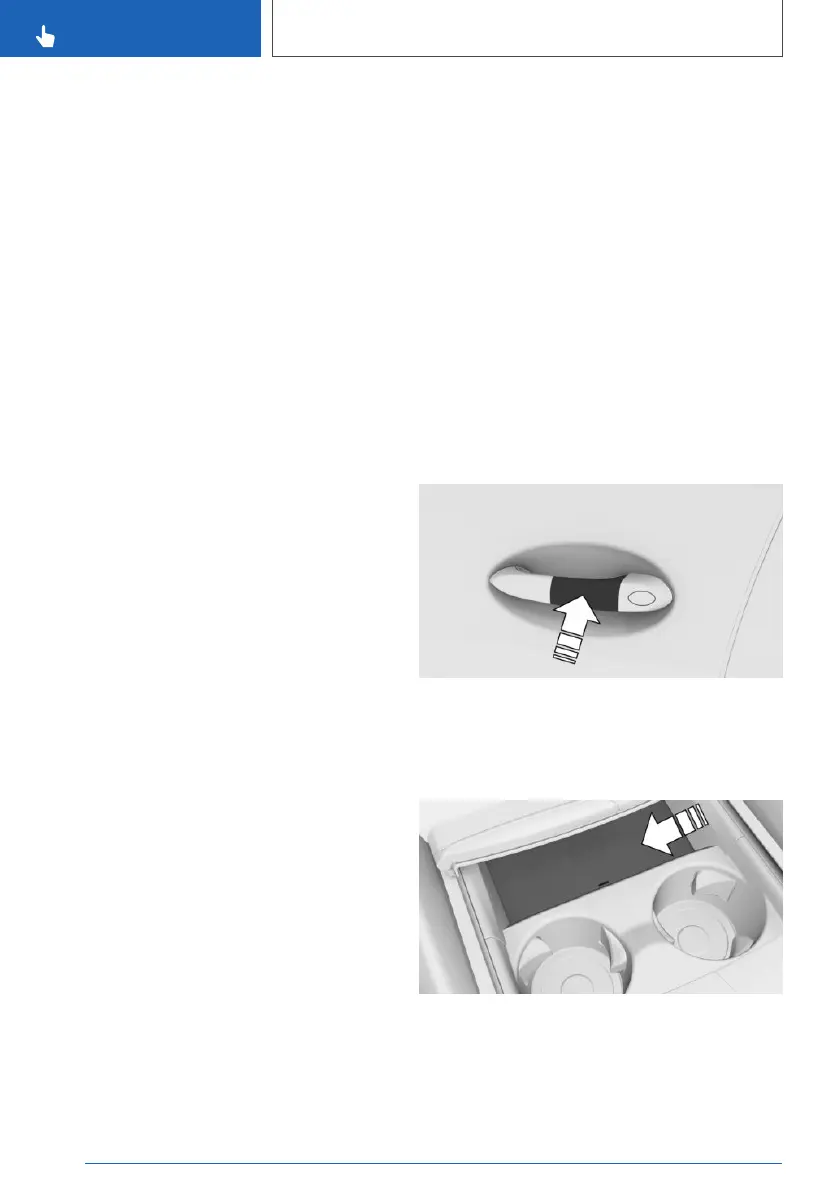
Unlocking and locking the vehicle
Hold the smartphone or key card up against the
outer handle on the driver's door.
Starting the engine
1.
Open the cover of the smartphone dock.
2. Place the smartphone or key card in the mid‐
dle of the smartphone dock in front of the cu‐
pholders.
Seite 102
CONTROLS
Opening and closing
102
Online Edition for Part no. xxx - VI/19



 To Next Page