Overview
Buttons on the steering wheel
Button Function
With steering and lane control assis‐
tant:
Cruise Control on/off.
With steering and lane control assis‐
tant:
Select the function.
Without steering and lane control as‐
sistant:
Cruise Control on/off.
Store current speed.
Speed Limit Assist: adopt the sug‐
gested speed manually.
With steering and lane control assis‐
tant:
To interrupt Cruise Control.
To resume Cruise Control with last
setting.
Without steering and lane control as‐
sistant:
To resume Cruise Control with last
setting.
Without steering and lane control as‐
sistant:
To interrupt Cruise Control.
Increase the distance.
Switch distance control on/off.
Reduce the distance.
Switch distance control on/off.
Rocker switch:
Set the speed.
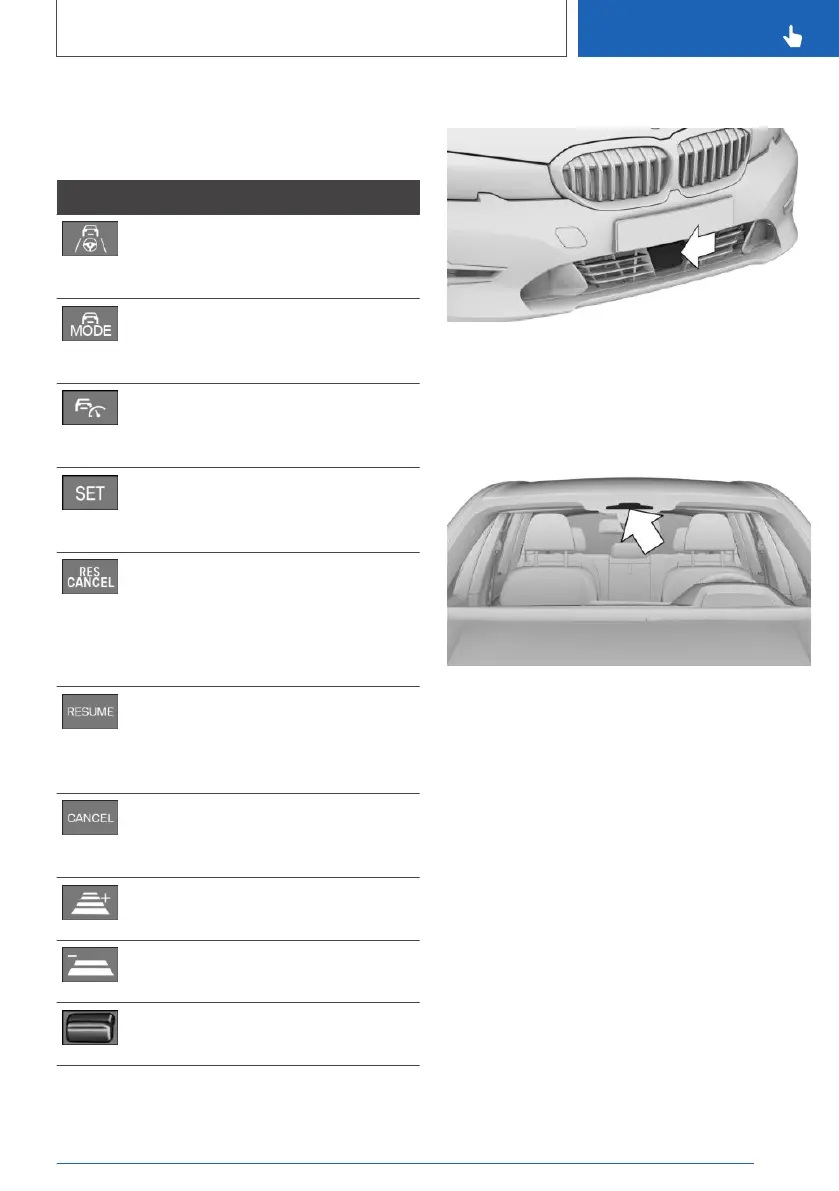
Radar sensor
The radar sensor is located on the front in the
bumper.
Keep the radar sensor clean and unobstructed.
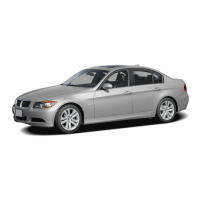
Camera
The camera is located near the rear-view mirror.
Keep the windscreen clean and clear in this area.
Use
The system can be used to optimum effect on
well-constructed roads. The system is opera‐
tional from a speed of approximately
30 km/h/20 mph.
The maximum speed which can be set is limited
and depends on the vehicle and its equipment,
for example.
Higher speeds can be set by switching to Cruise
Control without distance control.
The system can also be activated when the vehi‐
cle is at a standstill.
Seite 239
Driver Assistance Systems
CONTROLS
239
Online Edition for Part no. xxx - VI/19



 To Next Page