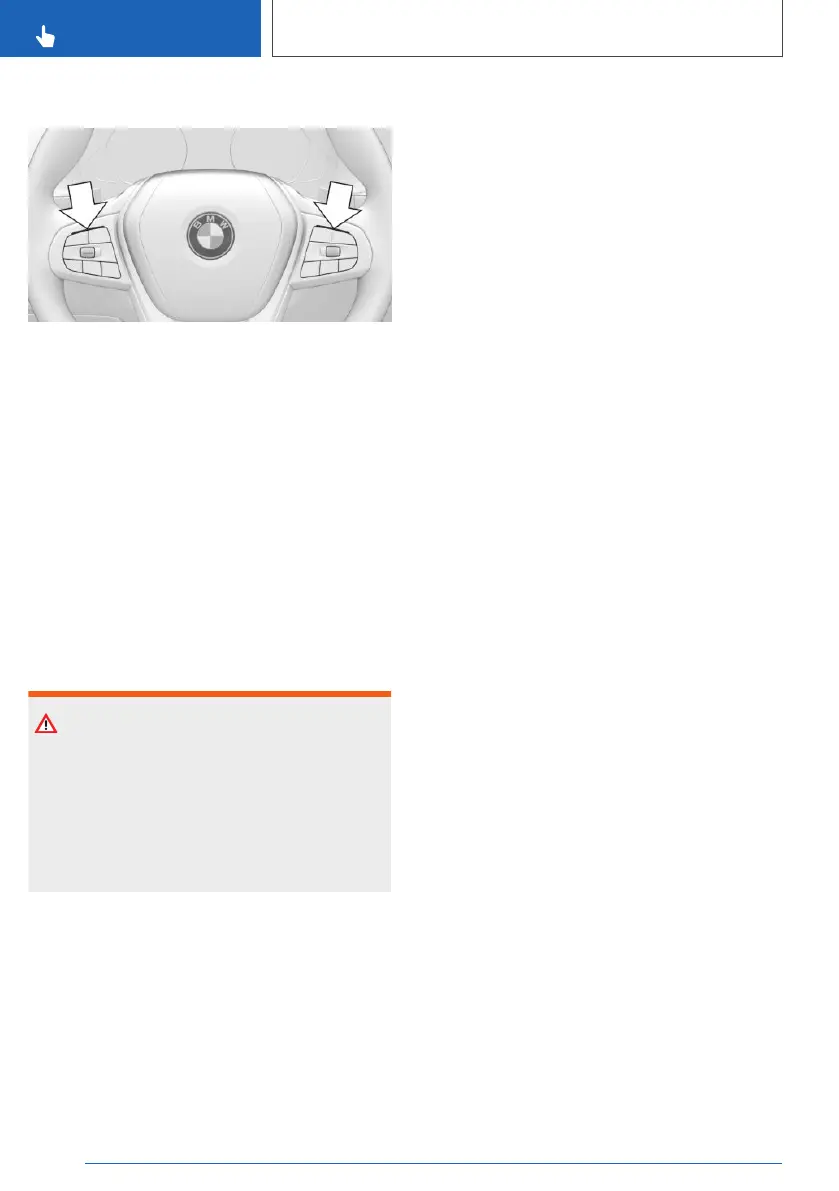
Displays on the steering wheel
The two LEDs above the button fields are illumi‐
nated in the same way as the displays in the in‐
strument cluster:
▷ Green: the system is active.
▷ Yellow: the system has been interrupted.
▷ Red: the system is deactivated.
System limits
General
The system cannot be activated or used sensibly
in certain situations.
Safety note
WARNING
The system may not respond at all, or may re‐
spond too late, incorrectly or without justifica‐
tion due to system limitations. There is a dan‐
ger of accidents or damage to property.
Observe the information on the system limits
and intervene actively if necessary.
Hands on the steering wheel
In the following situations, contact between the
driver's hands and the steering wheel is not de‐
tected by the sensors:
▷ Driving when wearing gloves.
▷ Covers on the steering wheel.
Narrow lanes
The system cannot be activated or used sensibly
when driving in narrow lanes, for example in the
following situations:
▷ At road works.
▷ Where there are emergency lanes.
▷ In built-up areas.
Weather
The following restrictions may apply if the
weather or lighting conditions are unfavourable:
▷ Impaired detection of vehicles and lane mark‐
ings.
▷ Brief interruptions when vehicles have already
been detected.
Examples of unfavourable weather or lighting
conditions:
▷ Wet roads.
▷ Snowfall.
▷ Slush.
▷ Fog.
▷ Oncoming light.
Pay attention when driving and respond to the
prevailing traffic conditions. If necessary, inter‐
vene actively, for example by braking, steering or
taking evasive action.
Driver Attention Camera
Pay attention to the traffic conditions at all times.
The Driver Attention Camera detects that the
driver is looking at the traffic.
The Driver Attention Camera may have limited
functionality in the following situations, for exam‐
ple:
▷ If the Driver Attention Camera is covered by
the steering wheel rim.
▷ If the driver is wearing sunglasses that block
infrared light.
Seite 254
CONTROLS
Driver Assistance Systems
254
Online Edition for Part no. xxx - VI/19



 To Next Page