In the case of an emergency call, data is sent
to the public rescue coordination centre in or‐
der to decide what rescue measures are re‐
quired. The data may include, for example,
the current position of the vehicle, if this can
be determined.
For information on data transfer and storage,
see page 14.
Even if you can no longer hear the rescue co‐
ordination centre through the loudspeakers,
the rescue coordination centre may still be
able to hear you speak.
The rescue coordination centre ends the emer‐
gency call.
Malfunction
The emergency call function may be impaired.
The LED near the emergency call button illumi‐
nates for approx. 30 seconds. A Check Control
message is shown.
Have the system checked by a Service Partner
of the manufacturer or another qualified Service
Partner or a specialist workshop.
Intelligent emergency call
Principle
The system can be used to trigger an emer‐
gency call automatically or manually in emer‐
gency situations.
General
Press the SOS button in an emergency only.
The intelligent emergency call system estab‐
lishes a connection with the BMW emergency
call centre.
Even if no emergency call through BMW is pos‐
sible, in some cases an emergency call may still
be established to a public emergency call num‐
ber. This depends on factors such as the specific
mobile telephone network and national regula‐
tions.
For technical reasons, it might not be possible to
make an emergency call in highly adverse condi‐
tions.
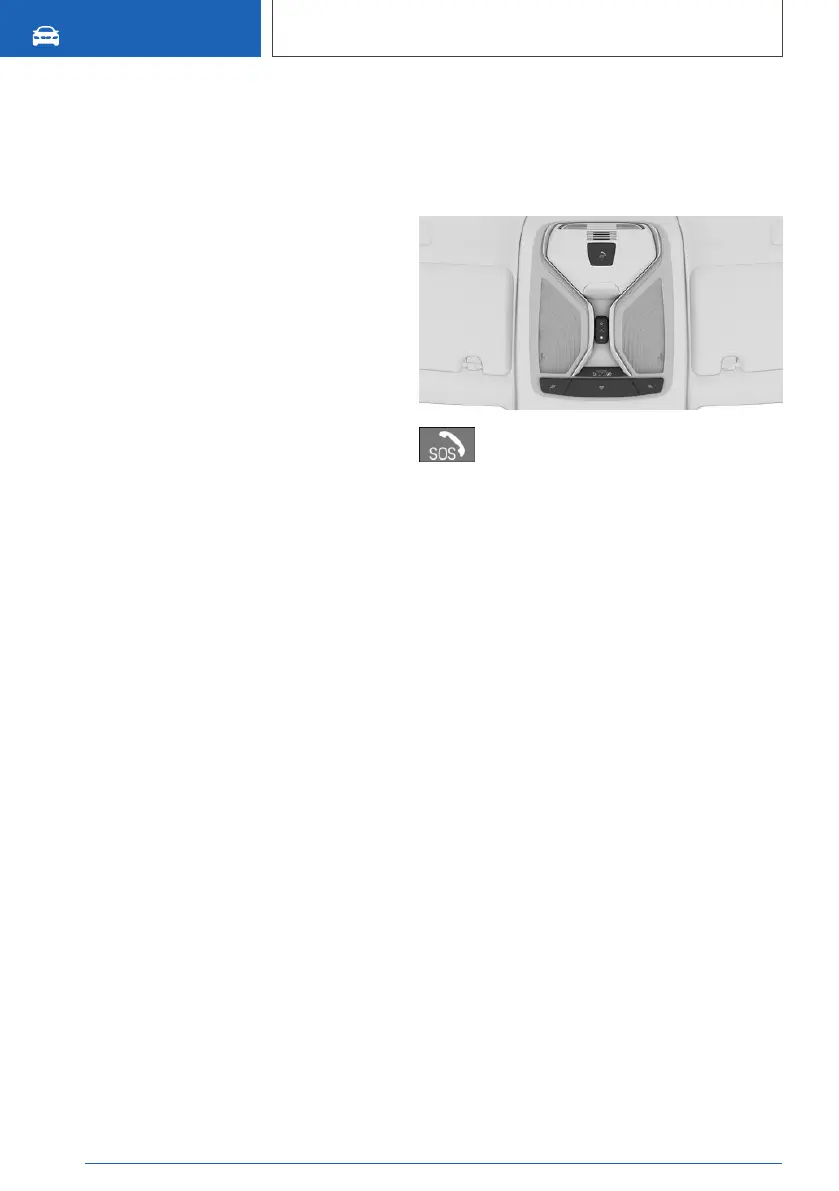
Overview
SOS button.
Operating requirements
▷ Standby state is switched on.
▷ Emergency call system is functional.
▷ If the vehicle is equipped with intelligent
emergency call: the SIM card integrated in
the vehicle is activated.
Automatic triggering
In certain circumstances, for example deploy‐
ment of the airbags, an emergency call may be
placed automatically immediately after an acci‐
dent of corresponding severity. An automatic
emergency call is not affected by pressing the
SOS button.
Manual triggering
1.
Tap on cover flap.
2. Press and hold the SOS button until the LED
in the button area is illuminated green.
▷ The LED is illuminated green when the emer‐
gency call has been activated.
If a cancellation request is displayed on the
Control Display, the emergency call can be
cancelled.
Seite 386
MOBILITY
Help in case of a breakdown
386
Online Edition for Part no. xxx - VI/19



 To Next Page