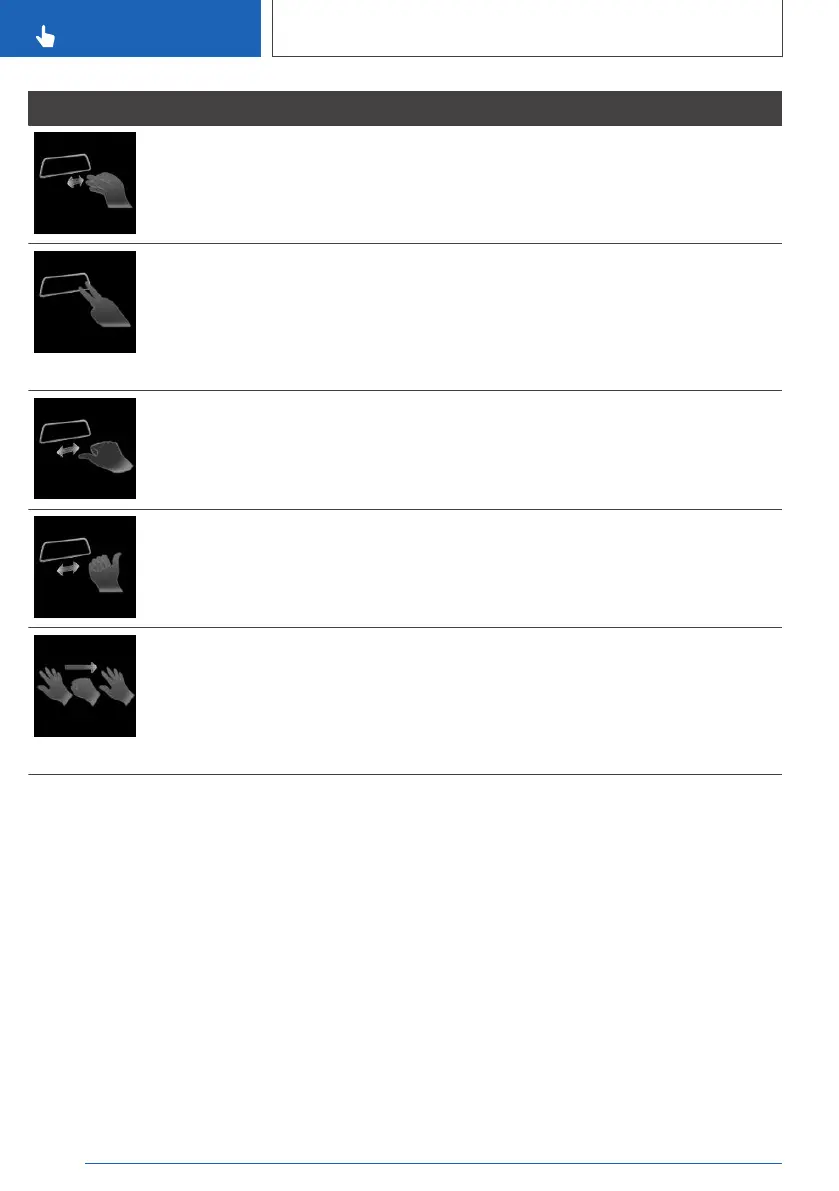
Gesture Operation Function
Pinch your thumb and index finger together
and move your hand horizontally right or left.
Surround View: rotate camera view.
This gesture is only possible with
the vehicle at standstill.
Move your index and middle fingers apart and
extend them forwards.
Individually assignable gesture.
Possible functions:
Mute.
Control Display on/off.
Voice control.
With your thumb stretched out to the left,
move your fist back and forth.
Skip function backwards.
The previous music track is played.
With your thumb stretched out to the right,
move your fist back and forth.
Skip function forwards.
The next music track is played.
Stretch out all five fingers, make a fist and then
stretch out all five fingers again.
Individually assignable gesture.
Possible functions:
Route guidance to home address.
Messages.
Recent calls.
Assign gesture individually
Via iDrive:
1. "CAR"
2. "Settings"
3. "General settings"
4. "Gesture control"
5. "Function assignment gesture 1" or
"Function assignment gesture 2"
6. Select the desired setting.
System limits
Detection of gestures by the camera in the roof
lining can be disrupted under the following cir‐
cumstances:
▷ The camera lens is covered.
▷ There are objects on the rear-view mirror.
▷ The camera lens is contaminated. Cleaning
camera lenses, see page 395.
▷ The gesture is performed outside the detec‐
tion area.
▷ Wearing of gloves or jewellery.
▷ Smoking in the interior.
Seite 64
CONTROLS
iDrive
64
Online Edition for Part no. xxx - VI/19



 To Next Page