Controls and switches, windshield wa§her 13
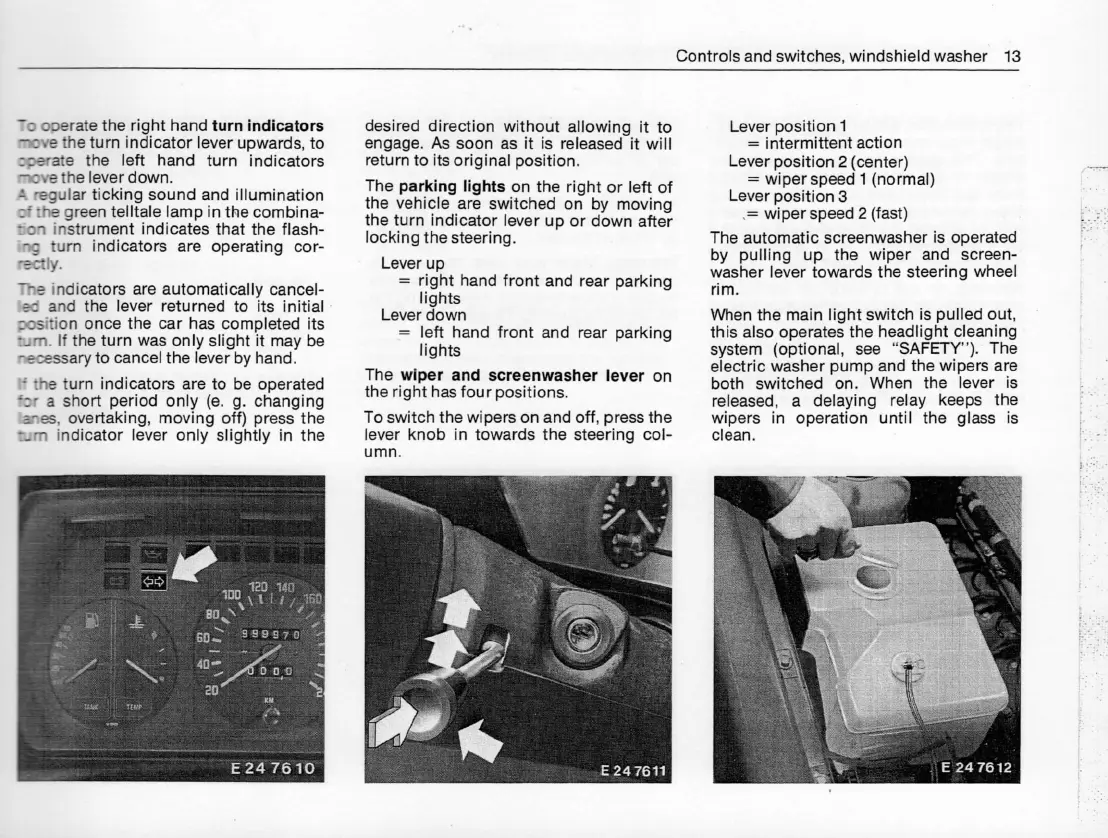
To operate the right hand turn Éndicators
move the turn indicator lever upwards, to
operate the left hand turn indicators
rTiove the lever down.
A regular ticking sound and illumination
of the green telltale lamp in the combina-
tion instrument indicates that the flash-
ing turn indicators are operating cor-
tily.
Ttìe indicators are automatically cancel-
Iecl and the lever returned to its initial
position once the car has completed its
tijm. lf the turn was only slight it may be
necessary to cancel the lever by hand.
ff the turn indicators are to be operated
br a short period only (e. g. changjng
arL§, overtaking, movjng off) press the
tim indicator lever only slightly in the
g:Si:3g.dÀ:esc.t.i::awsit,Tì:t.à|'àà:tàgititwìfl
return to its original position.
The parking lights on the right or left of
the vehicle are switched on by moving
the turn indicator lever up or down after
locking the steering.
Lever up
= right hand front and rear parking
lights
Lever down
= Ieft hand front and rear parking
lights
The wiper and screenwasher lever on
the right has four positions.
To switch the wipers on and off. press the
lever knob in towards the steering col-
umn.
Lever position 1
= intermittent action
Lever position 2 (center)
= wiper speed 1 (normal)
Lever position 3
`= wiper speed 2 (fast)
The automatic screenwasher is operated
by pulling up the wìper and screen-
washer lever towards the steering wheel
rim.
When the main light switch is pulled out,
this also operates the headlight cleaning
system (optional, see "SAFETY''). The
electric washer pump and the wipers are
both switched on. When the lever is
released, a delaying relay keeps the
wipers in operation until the glass is
clean.










 To Next Page