DELETION OF PERSONAL DATA
REMOVING STORED DATA FROM BMW IDRIVE VERSION 4+
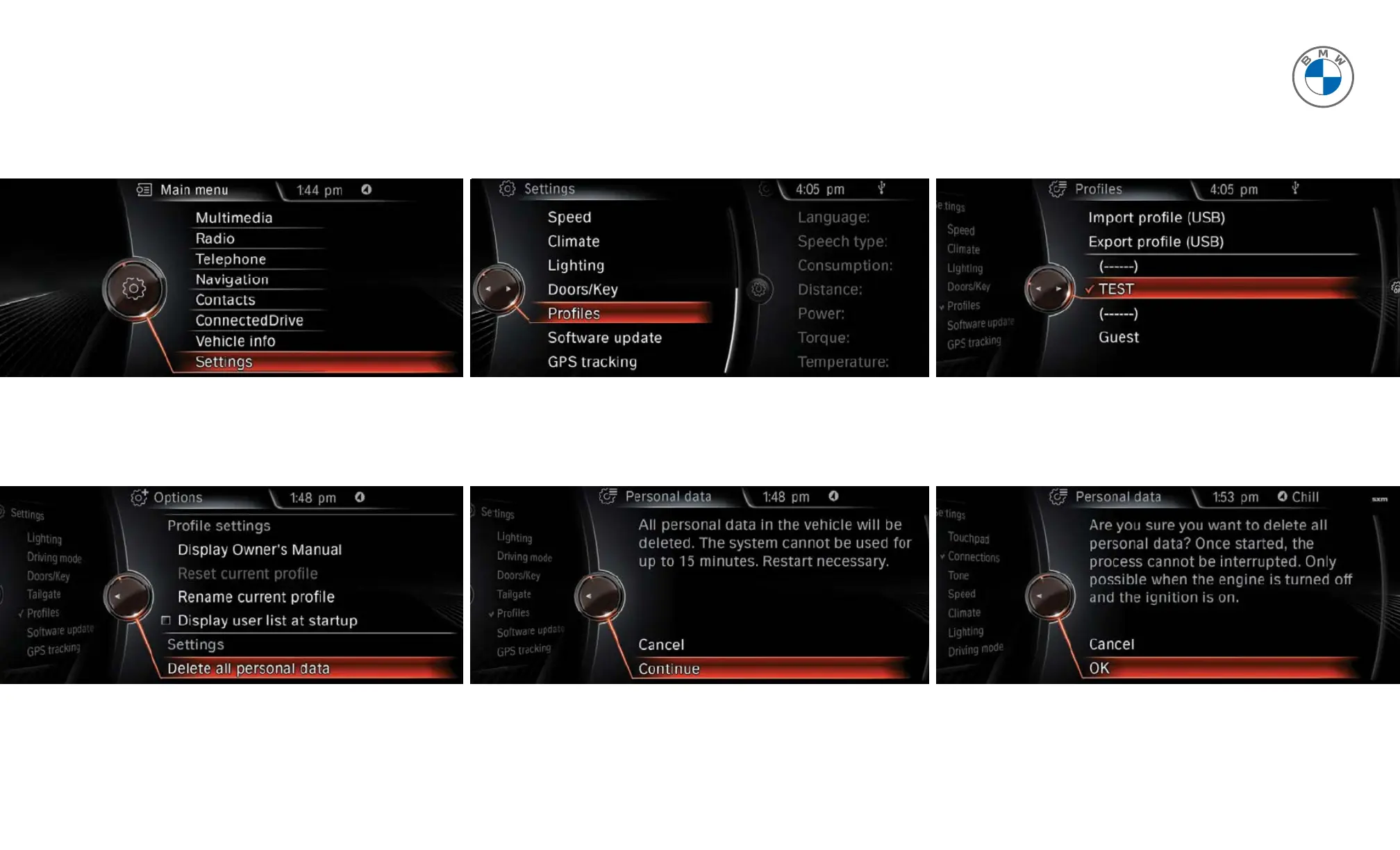
To delete personal data in vehicles equipped with iDrive 4+, please follow these steps.
1 From the main menu, select Settings.
4 Then, select Delete all personal data.
3 Select a profile and press the Option button.
6 The system will require final confirmation.
Select OK to confirm and delete personal data.
2 Select Profiles.
5 Click on Continue to proceed.



 To Next Page