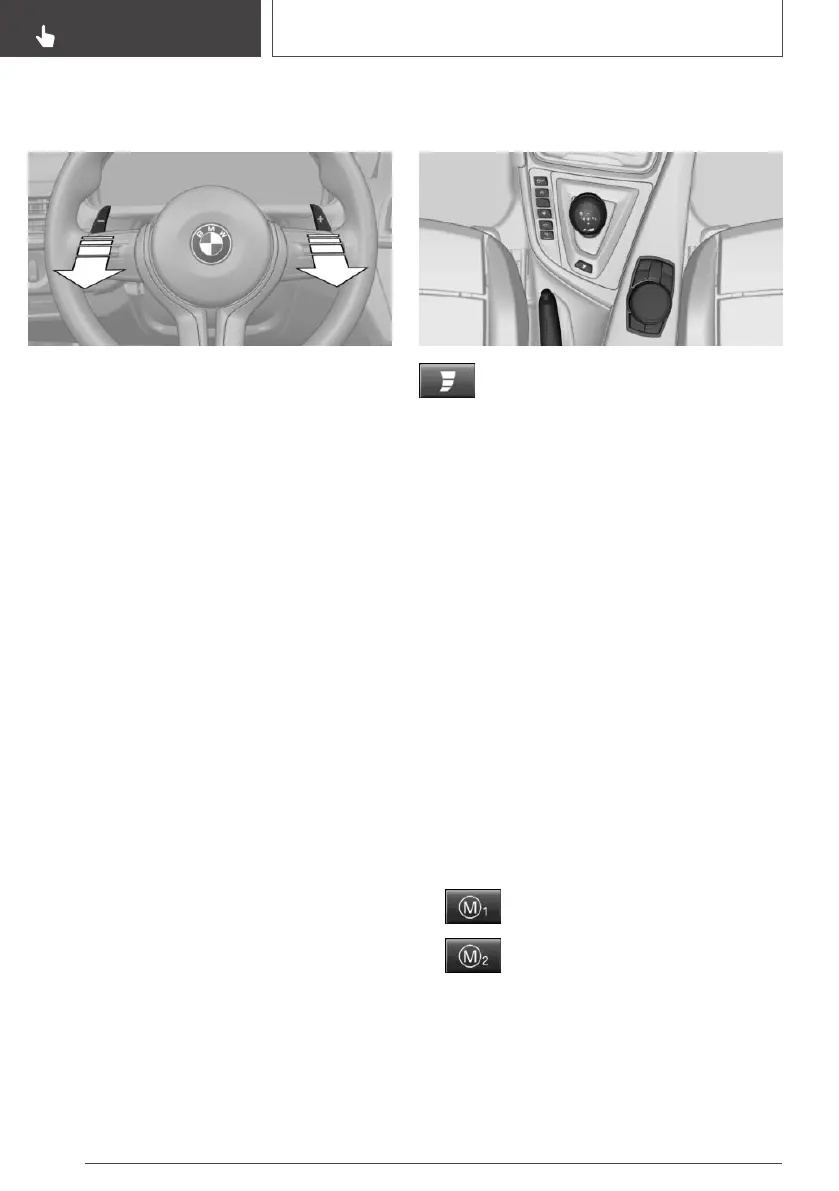
Using the shift paddles on the
steering wheel
▷ Shift up: pull right shift paddle.
▷ Shift down: pull left shift paddle.
Drivelogic
General information
Various driving programs are available.
After each switch between Sequential mode and
Drive mode, the last program selected is an ac‐
tive.
Exception: after each engine start, driving pro‐
gram 1 is active in Drive mode.
In Drive mode
Choice of three driving programs:
▷ D1: efficient driving.
▷ D2: relaxed driving.
▷ D3: sporty driving.
In Sequential mode
Choice of three driving programs:
▷ S1: comfortable shifting operations.
▷ S2: sporty, fast shifting operations.
▷ S3: maximum shifting speed, Launch Control.
Selecting driving program using
button in center console
Press the button repeatedly until the
desired driving program is displayed in
the instrument cluster.
Selecting driving program using
M Drive
Via iDrive:
1.
"My Vehicle"
2. "M Drive 1" or "M Drive 2"
3. "Transmission"
4. Turn the Controller until the desired setting is
reached and press the Controller.
▷ "D1" to "D3": Drive mode.
▷ "S1" to "S3": sequential mode.
5. Selecting another driving program.
When M Drive is active, setting is immedi‐
ately applied.
To activate M Drive with the selected settings,
press the corresponding button on the steering
wheel:
▷
▷
Seite 116
CONTROLS
Driving
116
Online Edition for Part no. 01402720665 - II/19


 To Next Page