3. "Speed warning"
4. "Select current speed"
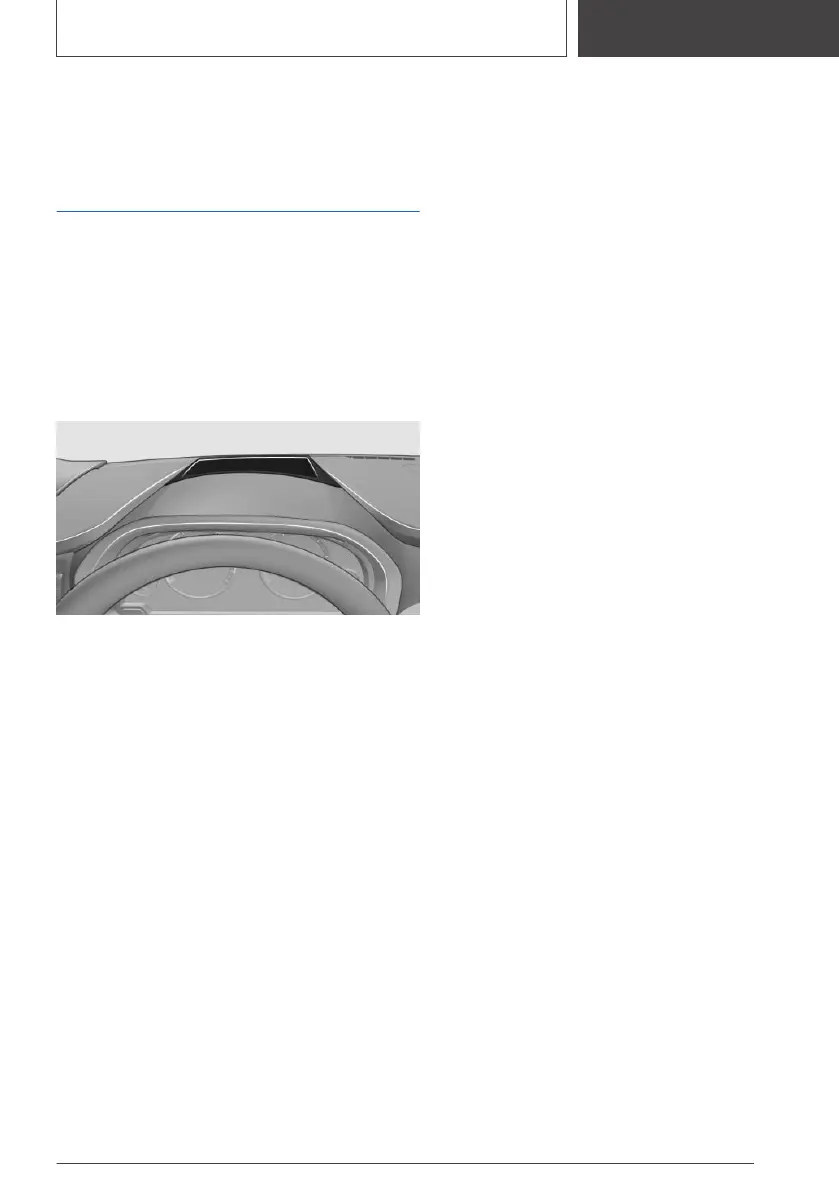
Head-up Display
Concept
This system projects important information into
the driver's field of vision, for instance the speed.
The driver can quickly absorb information and
concentrate on the traffic situation.
Overview
Switching on/off
Via iDrive:
1.
"My Vehicle"
2. "iDrive settings"
3. "Displays"
4. "Head-Up Display"
5. "Head-Up Display"
Display
For an overview,
The following information is displayed on the
Head-up Display:
▷ Vehicle speed.
▷ Navigation instructions.
▷ Check Control messages.
▷ Selection list from the instrument cluster.
▷ Driver assistance systems.
Some of this information is only displayed briefly
as needed.
Selecting displays in the Head-up
Display
Via iDrive:
1. "My Vehicle"
2. "iDrive settings"
3. "Displays"
4. "Head-Up Display"
5. "Displayed information"
6. Select the desired setting.
Settings are stored for the profile currently used.
Setting the brightness
The brightness is automatically adjusted to the
ambient brightness.
The basic setting can be adjusted manually.
Via iDrive:
1.
"My Vehicle"
2. "iDrive settings"
3. "Displays"
4. "Head-Up Display"
5. "Brightness"
6. Turn the Controller until the desired bright‐
ness is set.
7. Press the Controller.
When the low beams are switched on, the
brightness of the Head-up Display can be ad‐
justed using the instrument lighting.
Settings are stored for the profile currently used.
Adjusting the height
Via iDrive:
1.
"My Vehicle"
2. "iDrive settings"
3. "Displays"
Seite 135
Displays
CONTROLS
135
Online Edition for Part no. 01405A2CF16 - II/21








 To Next Page