Overview
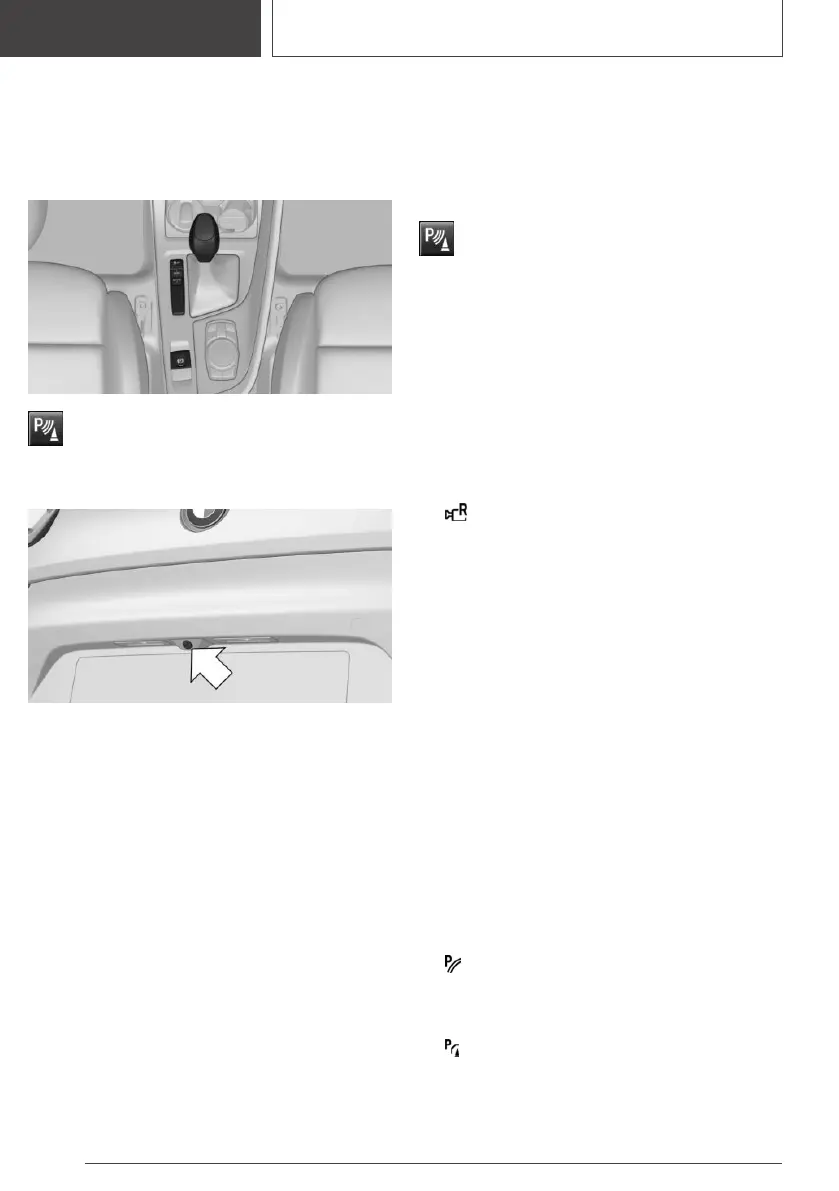
Depending on the vehicle
equipment: button in the vehicle
Park assistance button
Camera
The camera lens is located between the license
plate lights.
The image quality may be impaired by dirt. If
necessary, clean the camera lens.
Switching on/off
Switching on automatically
The system is switched on automatically if selec‐
tor lever position R is engaged when the engine
is running.
Automatic deactivation during
forward travel
The system switches off when a certain driving
distance or speed is exceeded.
Switch the system back on, if needed.
Depending on the vehicle
equipment: switching on/off
manually
Press the park assistance button.
▷ On: the LED lights up.
▷ Off: the LED goes out.
The parking assistance functions are shown on
the Control Display.
Switching the view via iDrive
If the rearview camera view is not displayed,
change the view via iDrive:
1.
Move the Controller to the left, if needed.
2. "Rear view camera"
The rearview camera image is displayed.
Display on the Control Display
Functional requirements
▷ The rearview camera is switched on.
▷ The tailgate is fully closed.
▷ Keep the recording range of the camera
open. Protruding cargo or carrier systems and
trailers that are not connected to a trailer
power socket can lead to malfunctions.
Activating assistance functions
More than one assistance function can be active
at the same time.
Move the Controller to the left, if needed.
▷ Parking aid lines
"Parking aid lines"
Lanes and turning radius lines are indicated.
▷ Obstacle marking
"Obstacle marking"
Obstacles are marked, depending on the ve‐
hicle equipment.
Seite 184
CONTROLS
Driving comfort
184
Online Edition for Part no. 01405A2CF16 - II/21









 To Next Page