Safety information
Warning
The system cannot serve as a substitute for the
driver’s personal judgment in assessing visibility
and traffic situation. There is a risk of accident.
Adjust driving style to traffic conditions. Watch
traffic closely and actively intervene where ap‐
propriate.
Settings
Permanent display
1.
"CAR"
2. "M menu"
3. "Instrument panel"
4. "Configure view"
5. "Central display area"
6. "Assisted Driving View"
Temporary display
1.
"CAR"
2. "M menu"
3. "Instrument panel"
4. "Configure view"
5. "Display Assisted Driving View when Driver
Assistance is active"
Display
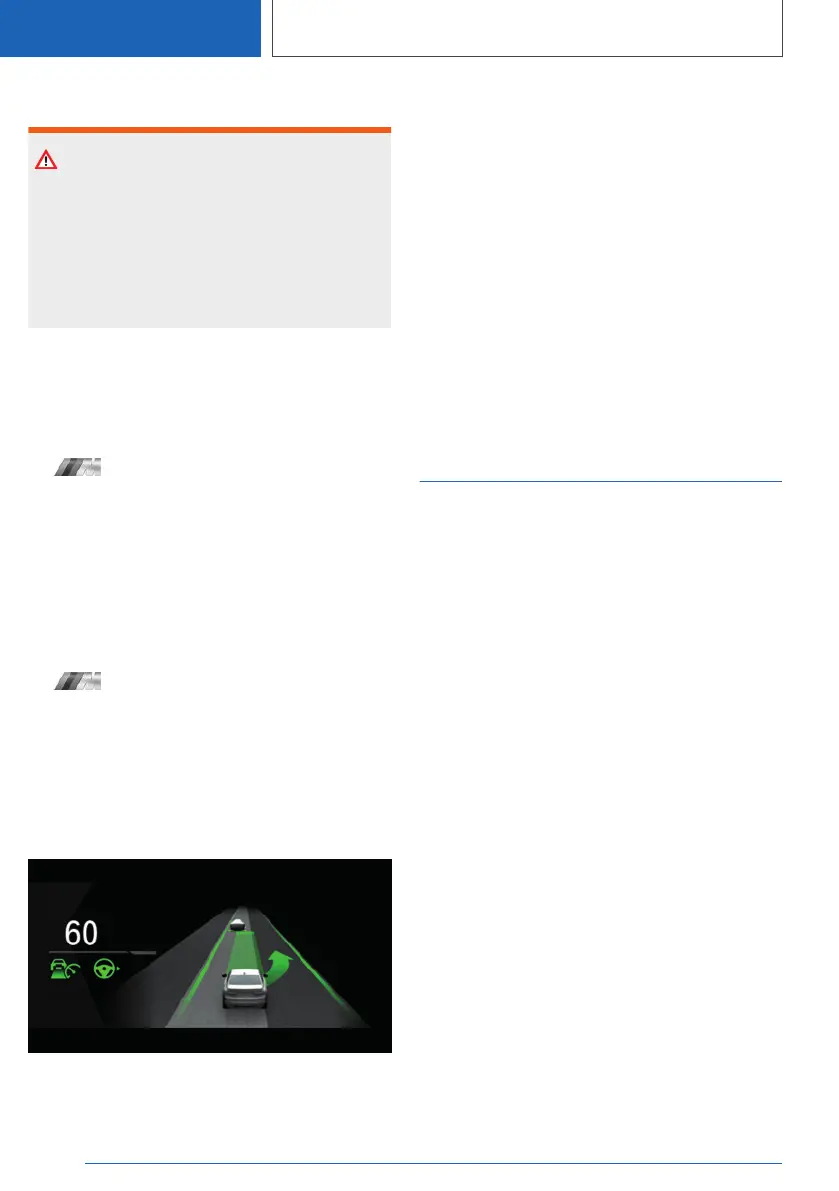
Example: the indicator/warning lights for the Ac‐
tive Cruise Control with Stop & Go function ACC
and the Lane Change Assistant indicate a lane
change to the next lane. At the same time, the
lane change to the next lane is shown with ani‐
mation in the Assisted Driving View.
System limits
The system's detection capability is limited. The
system may indicate something wrong.
Only objects that are detected by the system are
taken into account.
Additional information:
▷ Cameras, refer to page 37.
▷ Radar sensors, refer to page 38.
Widgets
Principle
Displays for specific functions can be displayed
in the instrument cluster.
The following displays can be selected:
▷ Current entertainment source, e.g., radio.
▷ Torque and power.
▷ G-Meter.
▷ Trip data.
▷ Consumption display.
▷ Tire data.
▷ M SETUP display.
▷ Engine data.
Seite 154
CONTROLS
Displays
154
Online Edition for Part no. 01405A37822 - VI/21



 To Next Page