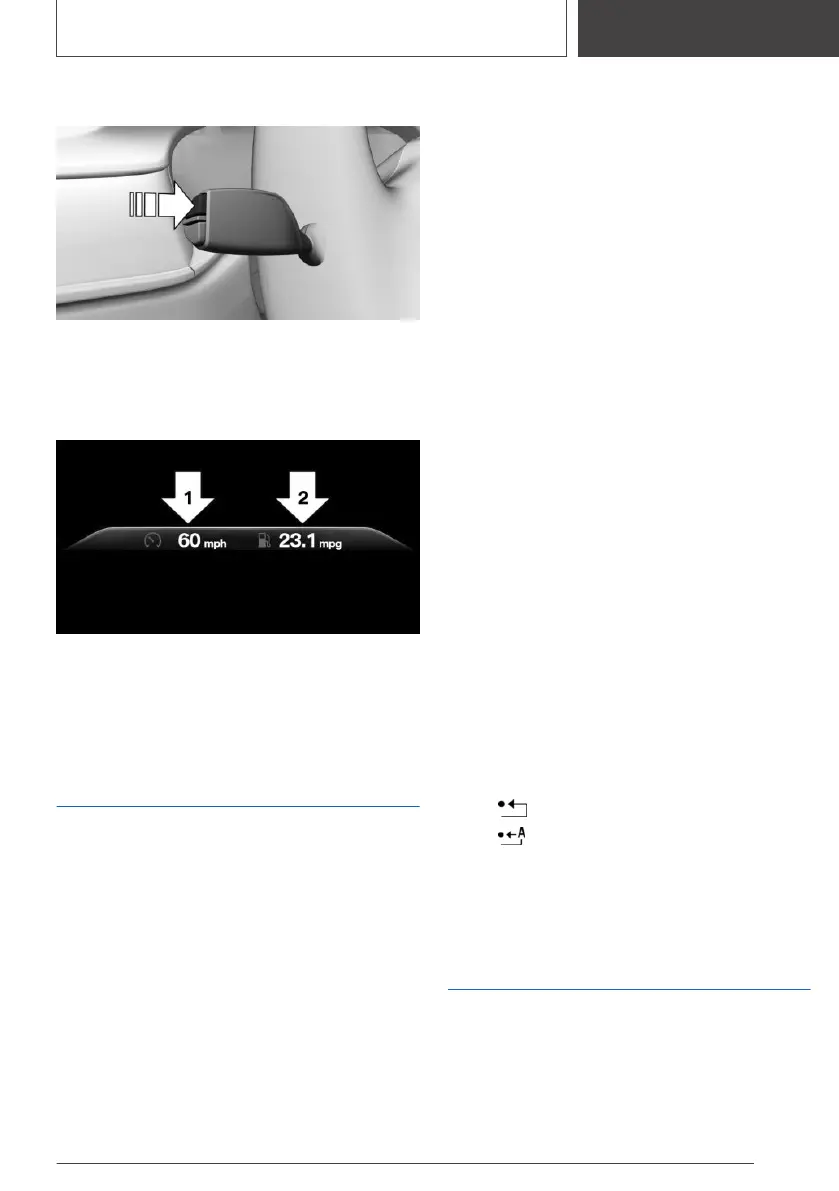
Resetting average values
Press and hold the button on the turn signal
lever.
Display
▷ Average speed, arrow 1.
▷ Average consumption, arrow 2.
Onboard Computer on the
Control Display
Concept
The Onboard Computer displays different vehi‐
cle data on the Control Display, such as average
values.
General information
Two types of Onboard Computers are available
on the Control Display:
▷ "Onboard info": average values, such as the
consumption, are displayed. The values can
be reset individually.
▷ "Trip computer": the values deliver an over‐
view of a specific route and can be reset as
often as necessary.
Calling up the Onboard
Computer or trip computer
Via iDrive:
1. "My Vehicle"
2. "Driving information"
3. "Onboard info" or "Trip computer"
Resetting the Onboard
Computer
Via iDrive:
1.
"My Vehicle"
2. "Driving information"
3. "Onboard info"
4. "Consumption" or "Speed"
5. "OK"
Resetting the trip computer
Via iDrive:
1.
"My Vehicle"
2. "Driving information"
3. "Trip computer"
4. Move the Controller to the left, if needed.
▷ "Reset": all values are reset.
▷ "Automatic reset": all values are reset
approx. 4 hours after the vehicle has
come to a standstill.
5. If necessary, "OK"
Sport displays
General information
Depending on the vehicle equipment, the current
values for performance and torque can be dis‐
played on the Control Display.
Seite 147
Displays
CONTROLS
147
Online Edition for Part no. 01405A1F693 - X/20



 To Next Page