Press and hold this button.
Press and hold this button.
With steering and traffic jam assistant:
press and hold this button.
In order to switch back to Cruise control with dis‐
tance control, press the button again.
After switching, a Check Control message is dis‐
played.
Displays in the instrument
cluster
Display in the speedometer
▷ Green marking: system is ac‐
tive, the marking indicates the
desired speed.
▷ Orange/white marking: system
is interrupted, the marking in‐
dicates the stored speed.
▷ No marking: system is switched off.
Status display
The selected desired speed is hidden af‐
ter a brief time.
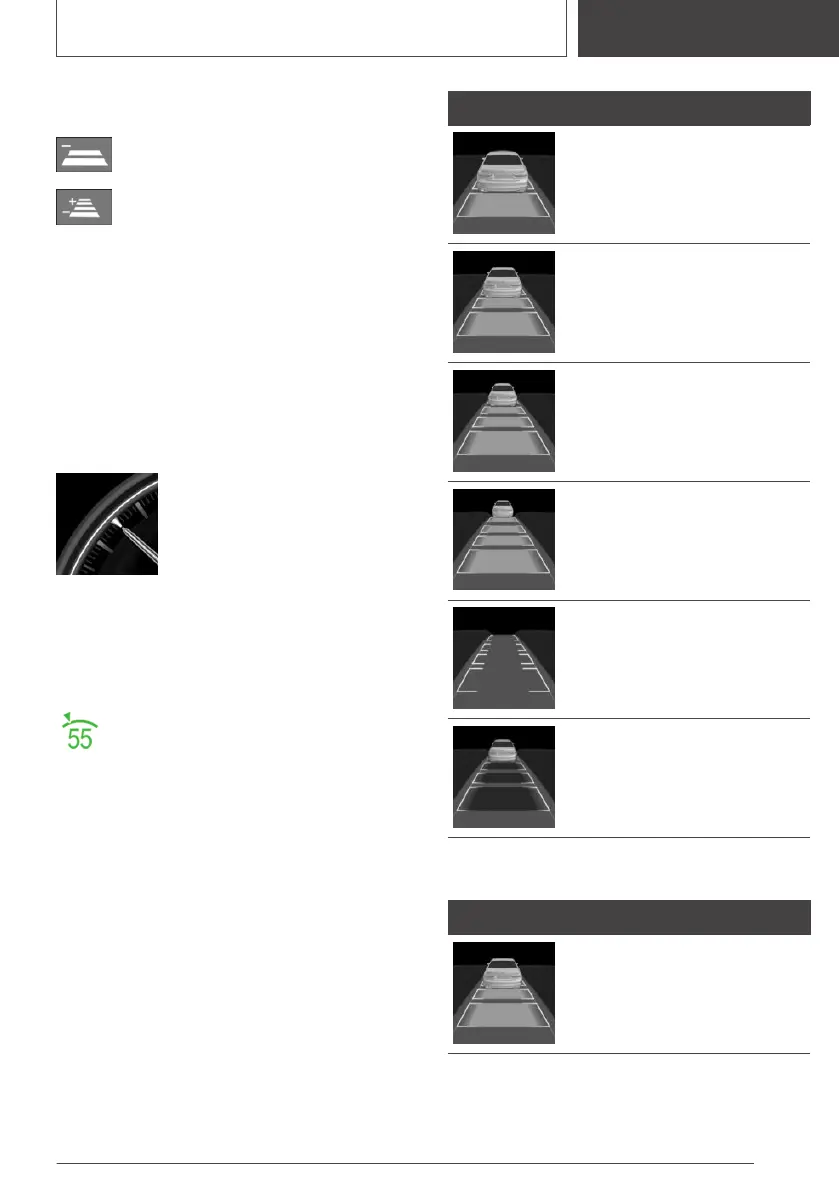
Distance to vehicle ahead of you
Selected distance to the vehicle ahead of you is
shown.
Symbol Description
Distance 1
Distance 2
Distance 3
Distance 4
This value is set automatically
after the system is switched on.
System interrupted.
No distance control display, as
the accelerator pedal is being
pressed.
Detected vehicle
Symbol Description
Green symbol:
A vehicle has been detected
ahead of you.
Seite 199
Driver assistance systems
CONTROLS
199
Online Edition for Part no. 01405A1F693 - X/20



 To Next Page