Automatic idle state
For instance, the idle state is automatically es‐
tablished under the following conditions:
▷ After several minutes, if no operation takes
place on the vehicle.
▷ If the charge state of the vehicle battery is
low.
▷ Depending on the setting via iDrive: when
one or both front doors are opened after driv‐
ing when exiting the vehicle.
In some situations, the idle state is not set auto‐
matically, for instance during a phone call or
when the low beams are switched on.
Establishing idle state when
opening the front doors
Via iDrive:
1.
"My Vehicle"
2. "Vehicle settings"
3. "Doors/Key"
4. "Turn off after door opening"
Manual idle state
To establish idle state in the vehicle after end of
trip:
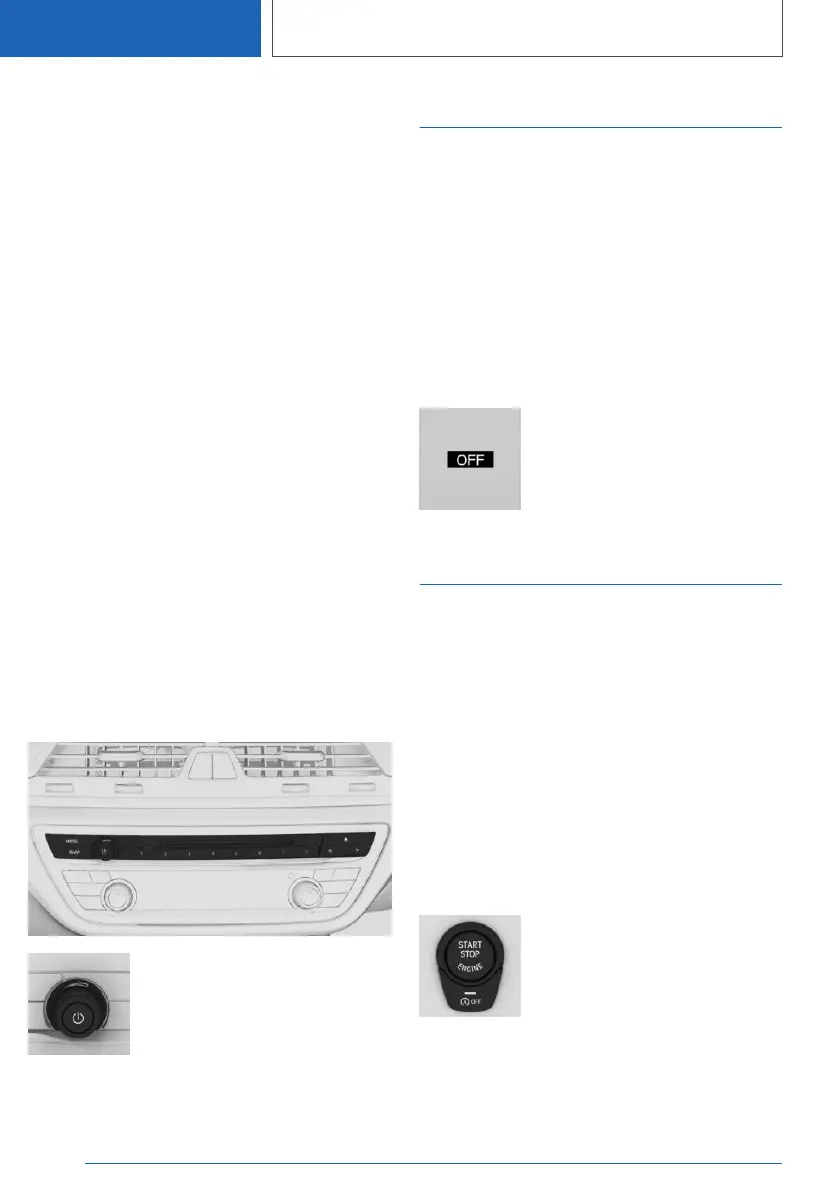
Press and hold the button until
the OFF indicator on the instru‐
ment cluster goes out.
Standby state
Concept
When standby state is switched on, most func‐
tions can be used while the vehicle is stationary.
Desired settings can be adjusted.
General information
The vehicle is in the standby state after the front
doors are opened from the outside.
Display in the instrument cluster
OFF is displayed in the instru‐
ment cluster. The drivetrain is
switched off and standby state
switched on.
Drive-ready state
Concept
Switching on drive-ready state corresponds to
starting the engine.
General information
Some functions, such as DSC Dynamic Stability
Control, can only be used with drive-ready state
switched on.
Follow further information on the drive-ready
state, refer to page 115.
Switching on drive-ready state
Drive-ready state is switched on
via the Start/Stop button:
1.
Depress the brake pedal.
2. Press the Start/Stop button.
Seite 36
AT A GLANCE
Idle state, standby state, and drive-ready state
36
Online Edition for Part no. 01405A1F693 - X/20



 To Next Page