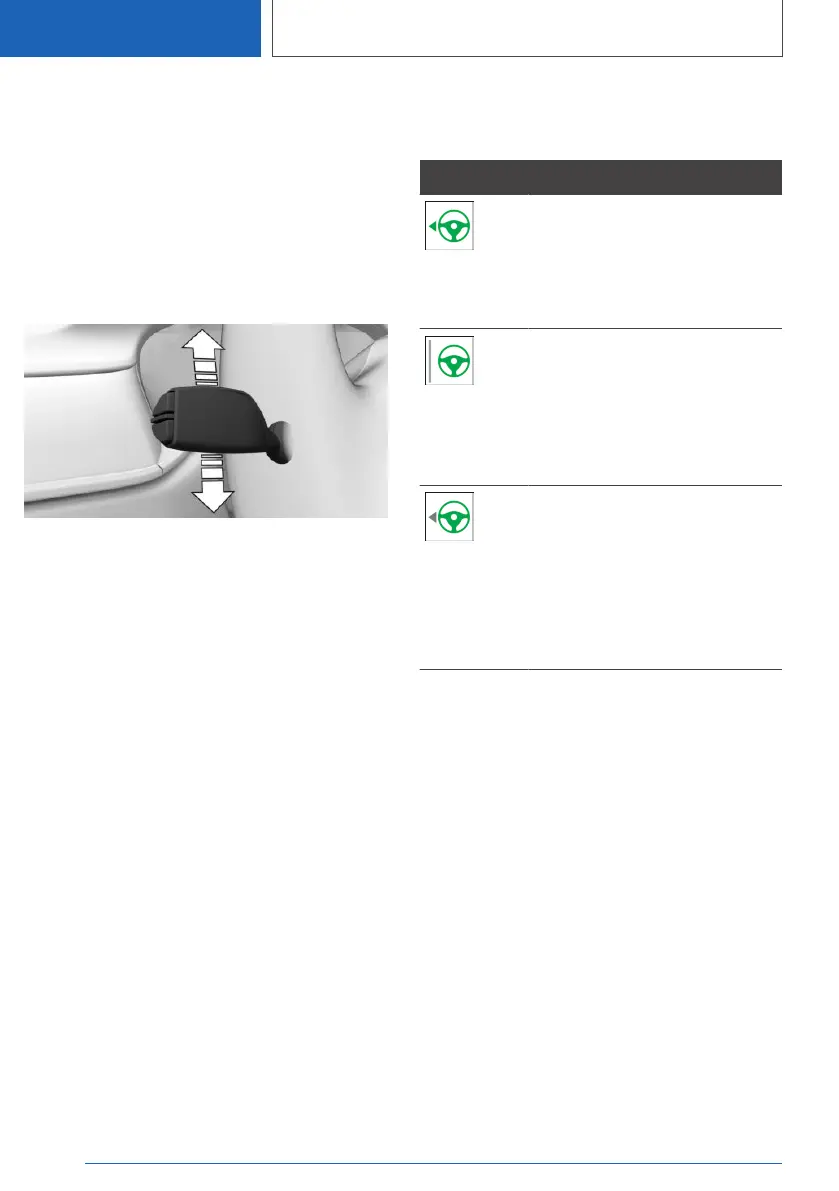
Changing lanes
1. Ensure that the traffic situation permits
changing lanes.
2. Press the turn signal lever in the required di‐
rection to the pressure point for signaling
briefly.
A supporting steering movement in the re‐
quired direction can be detected a short time
later.
After the lane change, the system helps keep the
vehicle in the new lane.
Canceling a lane change
The lane change can be canceled by steering
movement into the opposite direction.
Displays in the instrument
cluster
Icon Description
Green steering wheel symbol.
Green arrow symbol for lane-
changing.
The system carries out a lane
change.
Green steering wheel symbol.
Gray line for lane marking on the
appropriate side.
The system detected the lane
change request. Lane change
not currently possible.
Depending on country specifica‐
tions:
Green steering wheel symbol.
Gray arrow symbol for lane-
changing.
Lane change not possible; func‐
tional requirements not met.
Alternative displays
Depending on the equipment version, the dis‐
plays in the instrument cluster may vary and are
displayed as follows:
Seite 256
CONTROLS
Driver assistance systems
256
Online Edition for Part no. 01405A385B6 - VI/21



 To Next Page