Using the button
Pressing the upper or lower side of
the button repeatedly: decrease or in-
crease air flow.
The selected air flow is shown on the rear cli-
mate control display.
Air distribution settings
Principle
The air distribution can be adjusted as re-
quired in manual mode.
Adjusting the air distribution
The air distribution can be set via iDrive:
1.
Tap the icon for the Climate menu
on the menu bar.
2. Tap the air distribution icon on the
climate control functions bar.
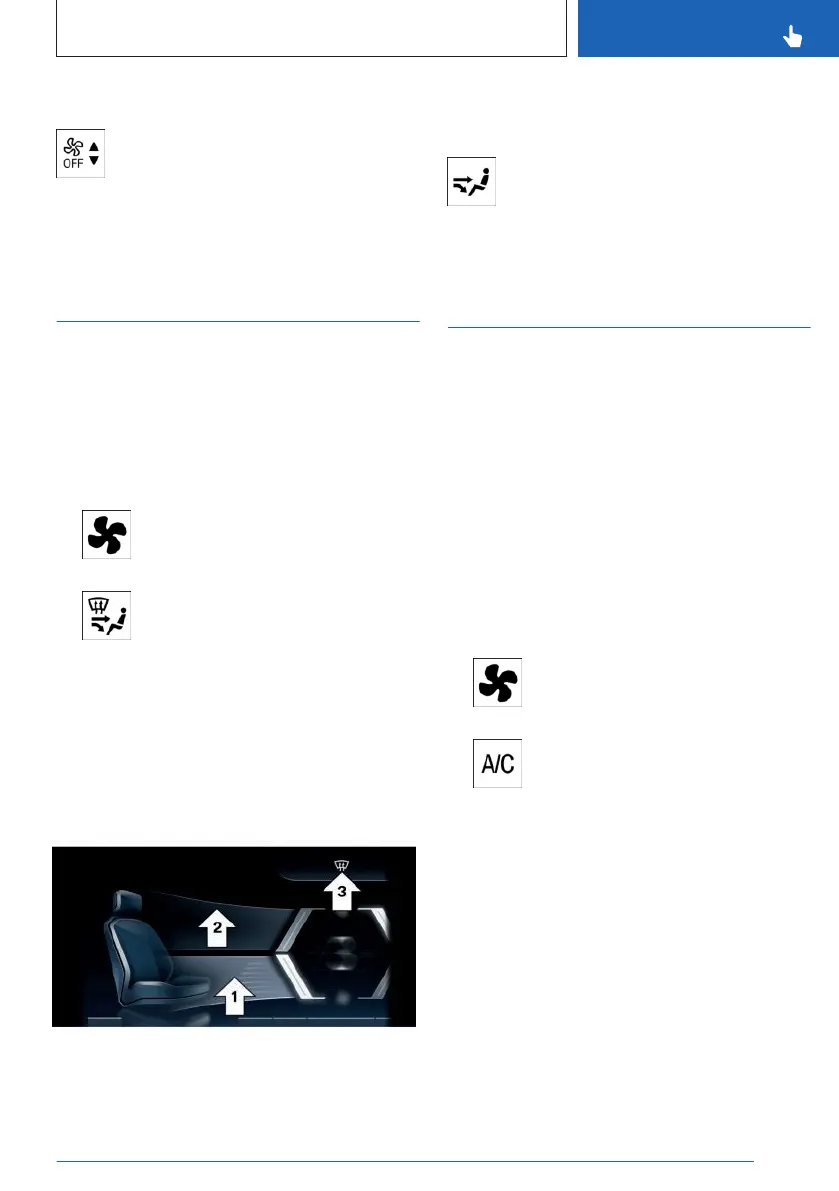
3. Select the desired setting:
▷ Aim the air flow downward, arrow 1.
▷ Aim the air flow upward, arrow 2.
▷ Aim the air flow at the windshield , ar-
row 3.
The selected air distribution is displayed.
Adjusting the air distribution of the
rear climate control
Pressing the upper or lower side of the
button. Select the desired setting.
The selected air distribution is shown
on the rear climate control display.
Air conditioning
Principle
With the climate control function, the air inside
the vehicle is cooled and dehumidified, then
warmed again depending on the temperature
settings.
Functional requirement
Standby or drive-ready state is switched on.
Switching the cooling function on/off
The air conditioning can be switched on or off
via iDrive:
1.
Tap the icon for the Climate menu
on the menu bar.
2. Tap the air conditioning button.
In recirculated-air mode, air conditioning is au-
tomatically switched on to dry the air and avoid
window condensation.
Depending on the weather, the windshield and
the side windows may fog up briefly when
drive-ready state is switched on.
When using the cooling mode, condensation
that will exit below the vehicle.
Seite 281
Climate control
CONTROLS
281
Online Edition for Part no. 01405A8A608 - VI/23



 To Next Page