Plug & Charge
Principle
With Plug & Charge, personal user data can be
saved to the vehicle. The charging process at
public charging stations is simplified.
General information
At public charging stations, a user account with
the charging station operator may be required.
To enable a charging station, you must enter
your user data, e.g., using the charging station
screen or presenting a charging card. Charging
is billed through the saved user account.
Saving user data to your vehicle
With supported operators, user data can be
saved to your vehicle. You can begin charg-
ing process immediately after connecting the
charging cable.
1.
Apps menu
2. "Vehicle"
3. "Charging"
4. "Plug & Charge"
5. Select the desired setting.
Starting the charging process
1.
Engage selector lever position P. Set the
parking brake, if needed.
2. Set charging mode or schedule charging
process.
Scheduling the charging process, see
Charging in the time frame, refer to
page 329.
3. Switch off drive-ready state.
4. Connect the Mode 2 charging cable to
the domestic socket outlet or the Mode 3
charging cable to the port at the AC charg-
ing station as needed.
5. Connect the charging cable to the vehicle.
Connecting the charging cable, refer to
page 325.
6. Lock vehicle if it is unlocked.
Charging status display
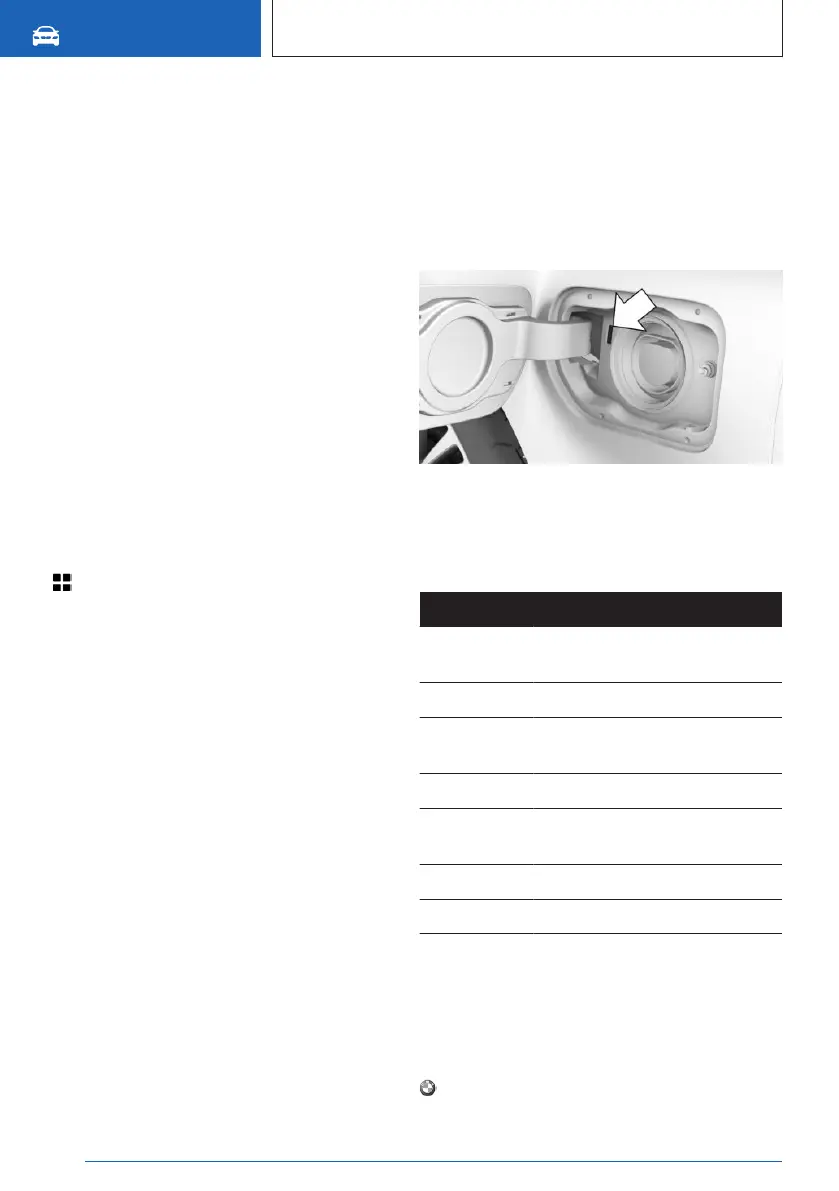
Indicator light on the charging socket
The charging status is indicated on the indica-
tor light on the charging socket.
Charging status
Light Meaning
White Charging cable can be con-
nected or removed.
Yellow Charging cable is locked.
Flashing yel-
low
Charging process is being pre-
pared.
Blue Charging process paused.
Flashing
blue
Charging process is active.
Flashing red Fault in the charging process.
Green Charging process is complete.
When the vehicle is locked, the indicator light
goes out after some time.
When the vehicle is unlocked, the blue indica-
tor light flashes continuously. The other indica-
tor lights turn off after some time.
Press the button on the vehicle key to
check the charging state. The charging status
Seite 328
MOBILITY
Charging the vehicle
328
Online Edition for Part no. 01405A8A608 - VI/23



 To Next Page