Switching the control display on/off
manually
1. Swipe from top to bottom on the control
display.
2. "Screen off"
Tap the control display to turn it on again.
Setting the brightness
1. Apps menu
2. "Vehicle"
3. "Displays"
4. "Control display"
5. "Brightness at night"
6. Make the desired setting.
Depending on the light conditions, the bright-
ness control may not be clearly visible.
System limits
In the case of very high temperatures on the
control display, for instance due to intense so-
lar radiation, the brightness may be reduced
down to complete deactivation. Once the
temperature is reduced, for instance through
shade or air conditioning system, the normal
functions are restored.
Controller
Principle
The Controller can be used to select menu
items and enter the settings. The buttons can
be used to open the menus directly.
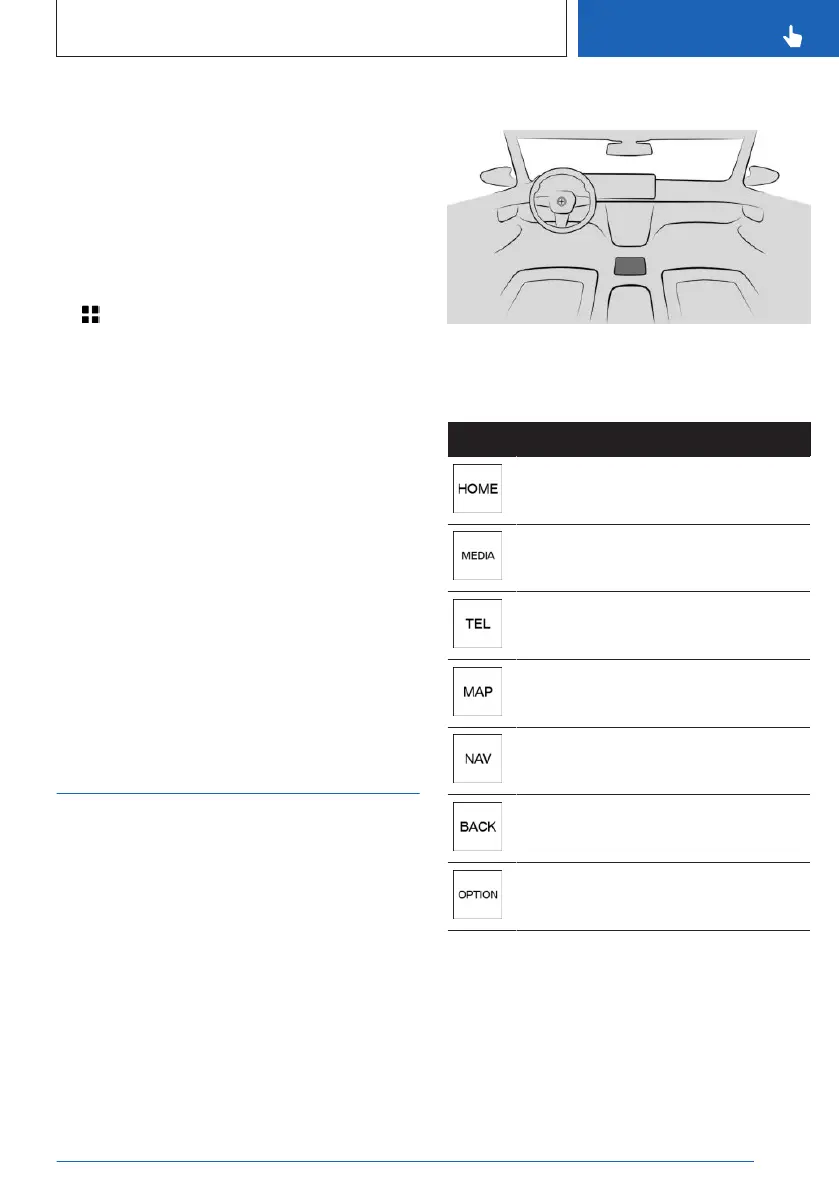
Overview
Controller
Buttons on the Controller
Button Function
Call up the main menu.
Call up the Media/Radio menu.
Go to Phone menu.
Call up the navigation map.
Call up the destination input menu
for navigation.
Go to previous menu.
Call up the Options menu.
Operation
▷
Rotate the Controller to switch between
menu options, for example.
Seite 51
BMW iDrive
CONTROLS
51
Online Edition for Part no. 01405A8A608 - VI/23



 To Next Page