▷ For some devices, certain settings are neces‐
sary, for instance authorization; see the own‐
er's manual of the device.
Displaying the device list
All devices paired with or connected to the vehi‐
cle are displayed in the device list.
A maximum of 4 devices can be connected to
the vehicle via Bluetooth, and a maximum of 10
devices can be connected to the vehicle via WiFi.
A maximum of 20 devices will be detected.
Via iDrive:
1.
"COM"
2. "Mobile devices"
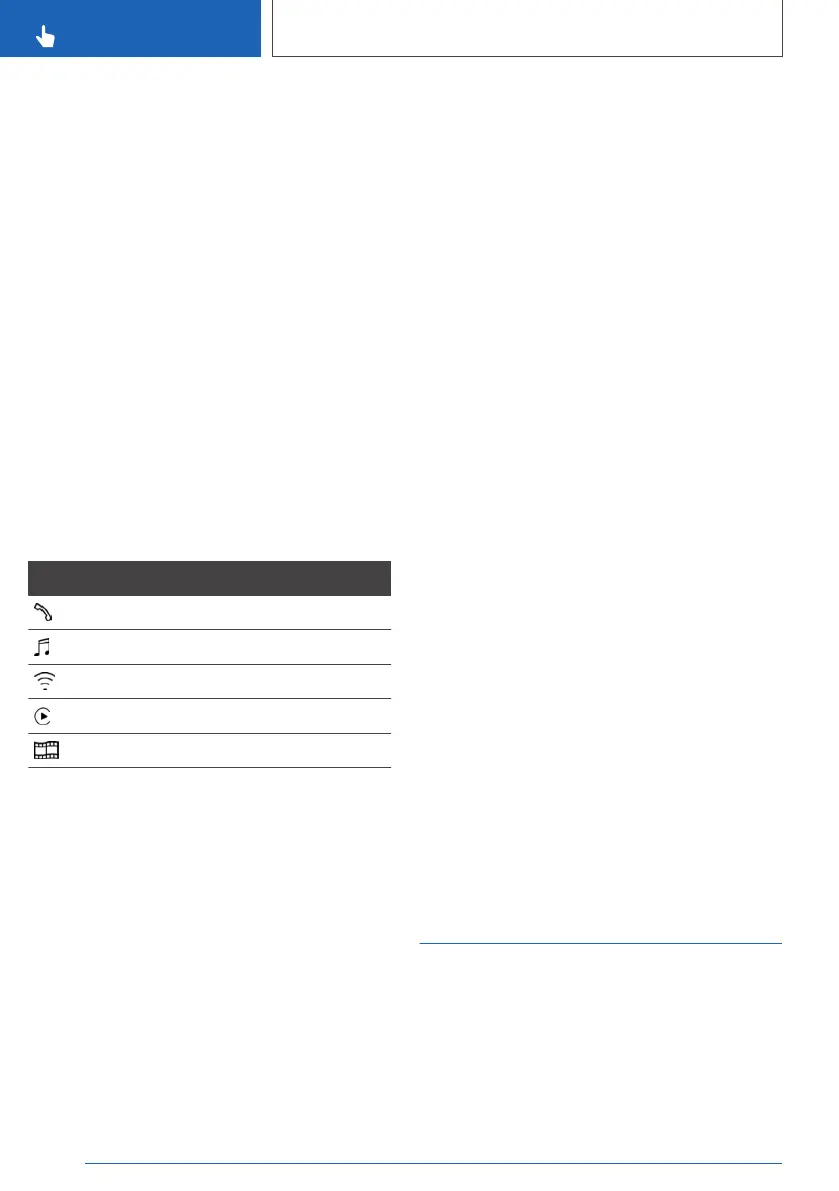
A symbol indicates, for which function a device is
used. When the icon is displayed in white, this
function is actively connected to the vehicle. The
icon is displayed in gray when the function of the
device is inactive.
Symbol Meaning
Telephone.
Bluetooth audio.
WiFi hotspot.
Apple CarPlay.
Screen Mirroring.
Configuring the device
Functions can be activated or deactivated for
paired and connected devices.
If a function is assigned to a device, the function
will be deactivated where appropriate for a de‐
vice that is already connected and the device will
be disconnected. Follow the information on the
Control Display.
Via iDrive:
1.
"COM"
2. "Mobile devices"
3. Select the desired device.
4. Select the desired setting.
▷ "Disconnect device"
The device remains paired and can be
connected again.
▷ "Connect device"
The functions that were assigned to the
device before disconnecting are assigned
to the device when it is reconnected. The
functions may be deactivated on a device
already connected.
▷ "Delete device"
The device is disconnected and removed
from the device list.
Priority of the phones
When two mobile phones are connected to the
vehicle, you can specify the priority of the mobile
phones for reconnection.
Via iDrive:
1.
"COM"
2. "Mobile devices"
3. Move the Controller to the right.
4. "Settings"
5. "Priorities for telephones"
6. Select the desired device.
7. Turn the controller to select the priority for
the selected mobile phone.
Select the desired priority by sliding.
Resetting the vehicle
configuration
All individual settings can be reset to the factory
settings when the drive-ready state is switched
off.
Seite 70
CONTROLS
General settings
70
Online Edition for Part no. 01402779113 - II/19



 To Next Page