214 S450 Operation & Maintenance Manual
MAINTENANCE CLOCK
Description
The Maintenance Clock alerts the operator when the next
service interval is due. EXAMPLE: The maintenance
clock can be set to a 500 hour interval as a reminder for
the next 500 hour planned maintenance.
Figure 300
During machine operation, a 2 beep alarm will sound
when there are less than 10 hours until the next planned
maintenance.
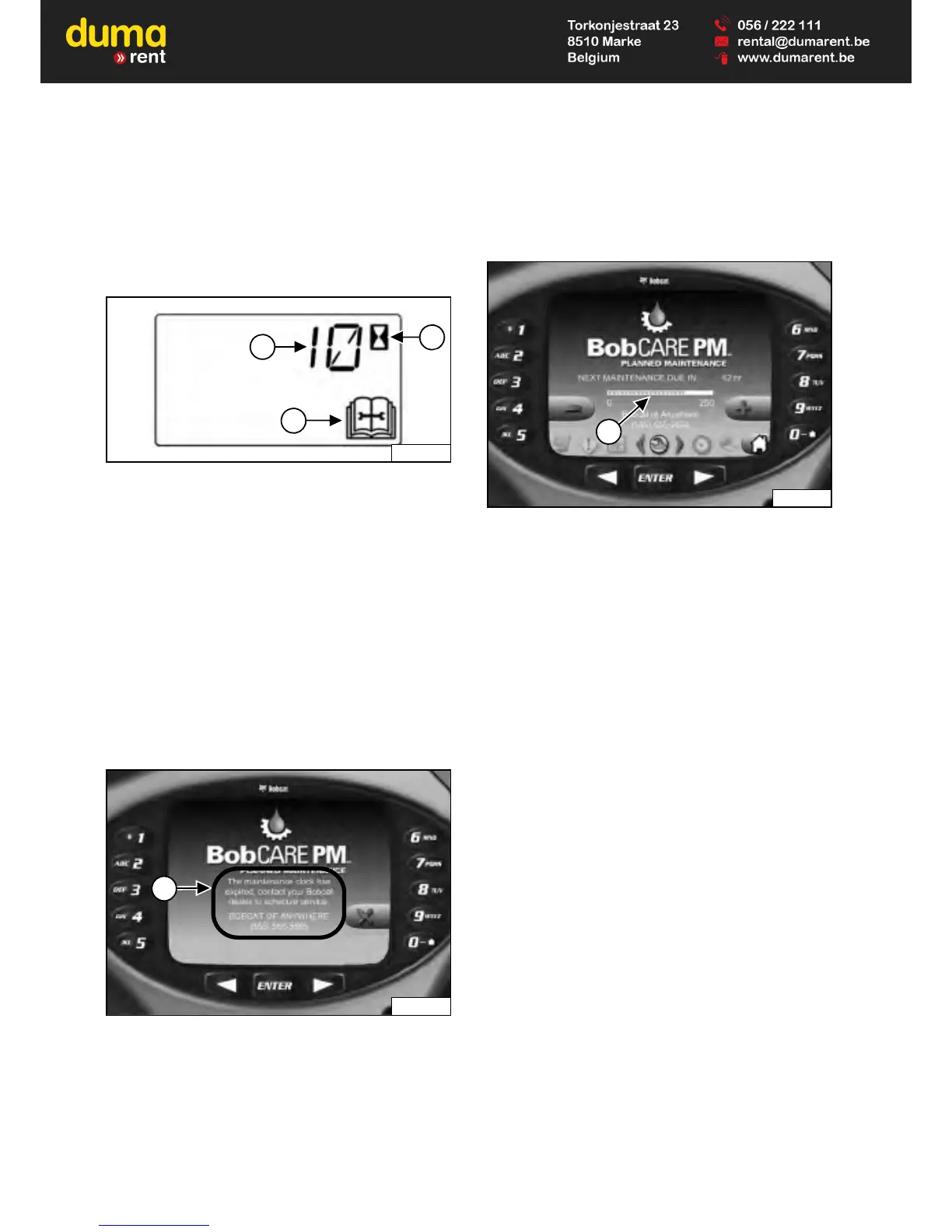
The remaining hours before maintenance is required
(Item 1) will appear in the data display for 5 seconds
while the service icon (Item 3) and the hourmeter icon
(Item 2) [Figure 300] flash.
NOTE: The display will show negative numbers after
counting down to zero.
The display will revert to the previous display and will
appear for 5 seconds every time the machine is started
until the maintenance clock is reset.
Figure 301
The Deluxe Instrumentation Panel (if equipped) will
display a message (Item 1) [Figure 301] alerting the
operator to service the machine.
This message will appear for 10 seconds every time the
machine is started until the maintenance clock is reset.
Figure 302
The Deluxe Instrumentation Panel (if equipped) will
display a bar (Item 1) [Figure 302] showing the time
remaining until next service. This bar will turn red when
service is past due. [NEXT MAINTENANCE DUE] will
change to [MAINTENANCE PAST DUE] and display the
number of hours past due.
Keys [4] and [9] can be used to adjust the service
interval when the owner is logged in [Figure 302].
Setup
See your Bobcat dealer about installation of this feature.
Reset
See your Bobcat dealer to reset the maintenance clock.


 To Next Page
 Loading...