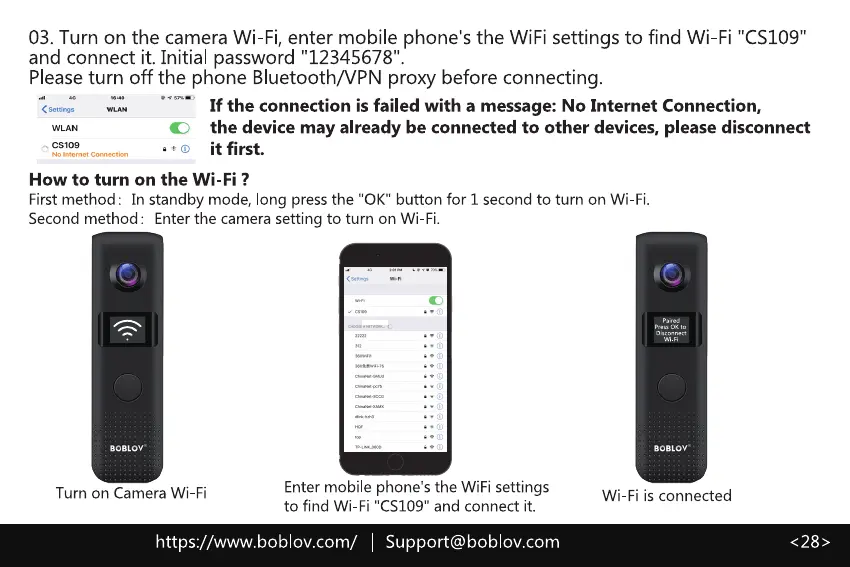
03. Turn on the camera Wi-Fi, enter mobile phone's the WiFi settings to find Wi-Fi "CS109"
and connect it. Initial password "12345678"
Pleaseturn off the phone Bluetooth/VPN proxy before connecting.
If the connection is failed with a message: No Internet Connection,
the device may already be connected to other devices, please disconnect
it first.
How to turn on the Wi-Fi ?
First method: In standby mode, long press the "0K" button for 1 second to turn on Wi-Fi.
Second method: Enter the camera setting to turn on Wi-Fi.
Turn on Camera Wi-Fi
Enter mobile phone's the WiFi settings
to find Wi-Fi "CS109" and connect it.
Wi-Fi is connected
https://www.boblov.com/ I Support@boblov.com



 To Next Page