7.0TG Online Usage
Attention: This OTG function only support Android phones with OTG Function.
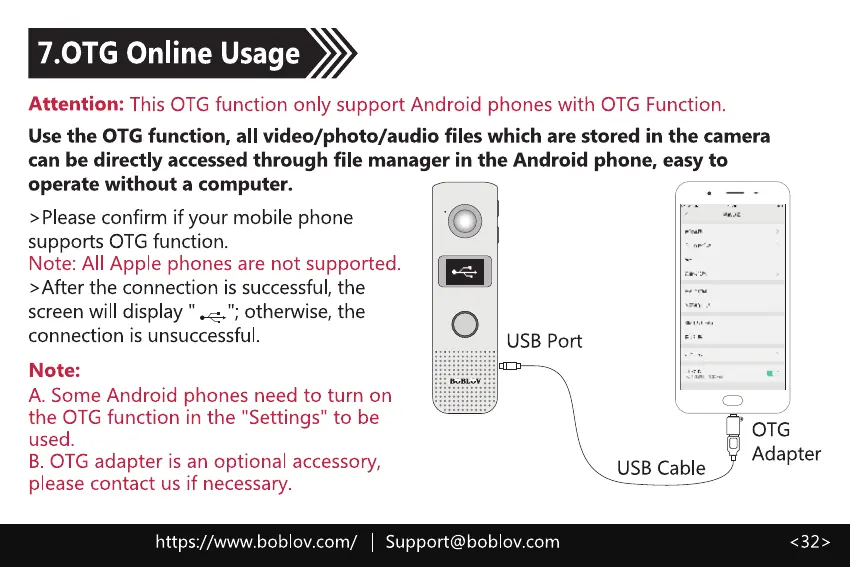
Use the OTG function, all video/photo/audio files which are stored in the camera
can be directly accessed through file manager in the Android phone, easy to
operate without a computer.
>Pleaseconfirm if your mobile phone
supports OTG function.
Note: All Apple phones are not supported.
>After the connection is successful, the
screen will display " otherwise, the
connection is unsuccessful
Note:
A. Some Android phones need to turn on
the OTG function in the "Settings" to be
O
USB Port
USB Cable
used.
B. OTG adapter is an optional accessory,
please contact us if necessary.
https://www.boblov.com/ I
Support@boblov.com
OTG
Adapter
< 32 >



 To Next Page