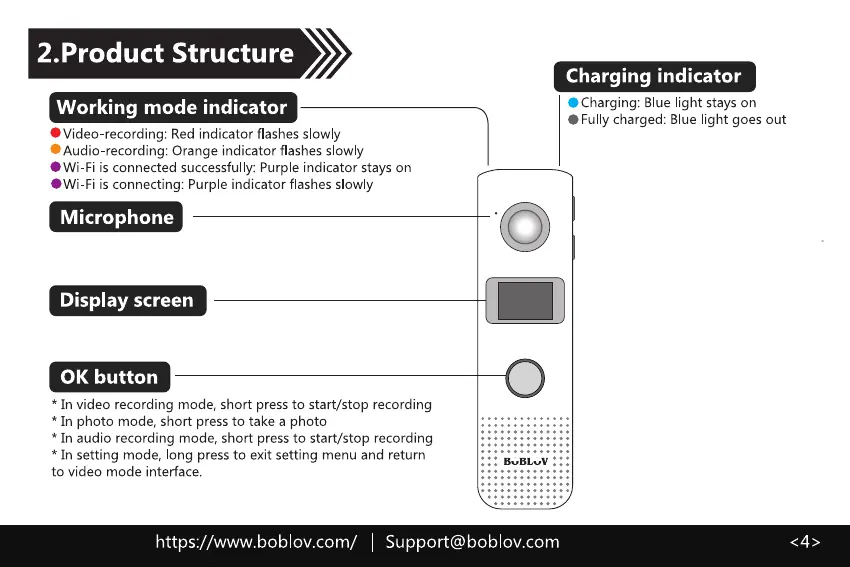
2.Product Structure
Working mode indicator
'Video recording: Red indicator flashes slowly
'Audio-recording: Orange indicator flashes slowly
'Wi-Fi is connected successful y: Purple indicator stays on
O.'Vi-Fi is connecting: Purp e indicator flashes slowly
Microphone
Display screen
0K button
* In video recording mode, short press to start/stop recording
* In photo mode, short press to take a photo
* In audio recording mode, short press to start/stop recording
* In setting mode, long press to exit setting menu and return
to video mode interface.
Charging indicator
'Charging: Blue light stays on
'Fully charged: Blue light goes out
BUBLVV •
https://www.boblov.com/ I Support@boblov.com



 To Next Page