
 Need help?
Do you have a question about the BodyMedia SenseWear and is the answer not in the manual?
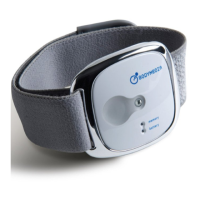
Defines the purpose and applications of the SenseWear armband.
Instructions for comfortable and safe wearing of the armband.
Details on the armband's water resistance capabilities.
Information on battery type, usage, and replacement.
Instructions on how to clean and disinfect the armband.
Specifies where and how to save retrieved armband data.
Entering wearer's details for accurate data analysis.
How to open previously saved SenseWear data files.
Using the time selector to highlight specific periods of collected data.
Adding, editing, or deleting biometric readings in the software.
Importing blood glucose readings from external devices.
Creating detailed graphs of collected data for a selected time frame.
Selecting which data and lifestyle information to include in graphs.
Making notes on specific events or activities within the data file.
Using the armband button to mark specific events for annotation.
Steps to create a basic summary report of the data.
Creating more detailed reports with summary and graphs.
Controls inclusion of off-body estimates in energy expenditure.
Customizes the format for naming data files retrieved from the armband.
Enters default clinician and organization details for data files.
Sets thresholds for activity detection and defines activity levels.
Stores wearer's details on the armband for personalization.
Configures initial message, targets, and time format for the display.
Verifies date, time, hardware version, and battery level of the armband.
Configures data channels to collect and their sampling rates.
How to check and replace the armband's AAA battery.
Information on armband memory capacity and status indicators.
Instructions on how to wear and adjust the armband for comfort.
Details on sensors, materials, size, weight, and operating conditions.
Solutions for errors or inability to retrieve data from the armband.
Steps to troubleshoot an armband that won't turn on or respond.
 To Next Page


 General