The provided manual describes the operation and features of a Boliy Pro3600SIE generator equipped with a campgen.com remote start option. This generator is designed for various applications, including recreational vehicle use, and offers both manual and remote starting capabilities, along with remote control over its ECON throttle.
Function Description
The Boliy Pro3600SIE is a portable generator that provides electrical power. Its primary function is to generate electricity, and it can be started either manually using a key or a pull cord, or remotely via a dedicated remote control unit. The remote start feature enhances convenience, allowing users to start, stop, and adjust the generator's engine speed (ECON throttle) from a distance. The generator is designed to be user-friendly, with specific procedures for cold starts, hot starts, and remote shutdown.
Important Technical Specifications
While the manual does not explicitly list all technical specifications like engine type, fuel capacity, or power output (e.g., watts), it does provide some key operational details:
- Power Output: The generator is equipped with a 30A 125V receptacle (XD-010, E304370) for recreational vehicle use, indicating a substantial power output suitable for RVs. It also has a DC 12V 8A output.
- Fuel Recommendation: Premium fuel is recommended for units equipped with the remote start feature.
- Battery: The unit includes a battery for the remote start system, though the manual notes that there is no warranty on these batteries due to potential drainage if the remote start unit is not turned off.
- Safety Features: The generator includes an AC reset button ("TO RESET AC RESTART ENGINE") and a protector for the DC 12V 8A output.
Usage Features
The Boliy Pro3600SIE offers a range of usage features, particularly focusing on its remote start capabilities:
Manual Starting Procedure (WITHOUT REMOTE START)
- Remote Start Power Switch: Ensure the top black rocker switch (remote start power) is in the "Off" position.
- ECON Switch: Set the ECON switch to the "On" position. This is crucial as starting a generator with the ECON off is likened to "stomping on the gas" immediately.
- Choke: Pull the choke handle fully extended.
- Key: Turn the key to the "On" position.
- Start: Either pull the manual pull cord or turn the key to the "Start" position (release once started).
- Choke Retraction: Push the choke handle back in place and ensure it is fully depressed.
- ECON Throttle (Optional): If needed (e.g., for starting an AC unit), turn the ECON throttle to the "Off" position.
Remote Start Procedure
To ensure proper remote start function, specific configurations are required:
- Remote Start Power Switch: Set the top black rocker switch (remote start power) to the "ON" position.
- ECON Switch: Set the ECON switch to the "On" position. This is important as the remote will override the ECON function if this switch is off.
- Key Position: The key must be in the "Off" position. If the key is in the "On" position, the remote will not be able to power the generator down.
Cold Start Procedure (Unit not run for 4+ hours)
- Remote Access: Locate one of the two remotes and expose the buttons (if covered).
- Initiate Start: Point the remote towards the generator and press the "A" button 3 times, with a minimum of ½ second delay between presses.
- Repeat: If the generator fails to start, repeat the procedure.
Hot Start Procedure (Unit run within the last 4 hours)
- Remote Access: Locate one of the two remotes and expose the buttons.
- Initiate Start: Point the remote towards the generator and press the "B" button 3 times, with a minimum of ½ second delay between presses. This procedure still operates the choke but for a shorter duration.
- Repeat: If the generator fails to start, repeat the procedure.
Remote Shutdown Procedure
- Initiate Shutdown: Point the remote towards the generator and press the "D" button.
- Power Down: The generator should immediately power down.
- Restart Delay: Wait 1 minute before attempting to restart the generator.
ECON Throttle Procedure (Remote Control)
This feature allows remote adjustment of the engine RPM, useful for starting high-load devices like AC units.
- Generator Running: Ensure the generator is already running.
- Remote Access: Locate one of the two remotes and expose the buttons.
- Increase RPM: Point the remote towards the generator and press the "C" button 1 time. The generator's RPM should increase.
- Decrease RPM: To turn the ECON throttle back off (return to lower RPM), point the remote towards the generator and press the "C" button again.
- Note: If the generator RPM does not change, check that the ECON switch on the front of the generator is set to the "ON" position.
Maintenance Features
The manual highlights one critical maintenance-related instruction:
- Battery Preservation: "ENSURE REMOTE UNIT IS TURNED OFF WHEN GENERATOR NOT IN USE." This is crucial to prevent the remote start unit from draining and destroying the battery, as there is no warranty on batteries for units equipped with remote start if this occurs. This emphasizes the importance of proper shutdown and power management for the remote start system's battery.
The generator also includes an "AC RESTART ENGINE" button, which serves as a reset for the AC output, indicating a simple user-level troubleshooting or reset option for power delivery issues.

 Need help?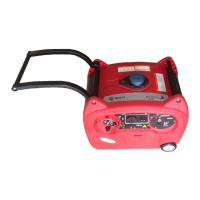

 To Next Page
 General