32
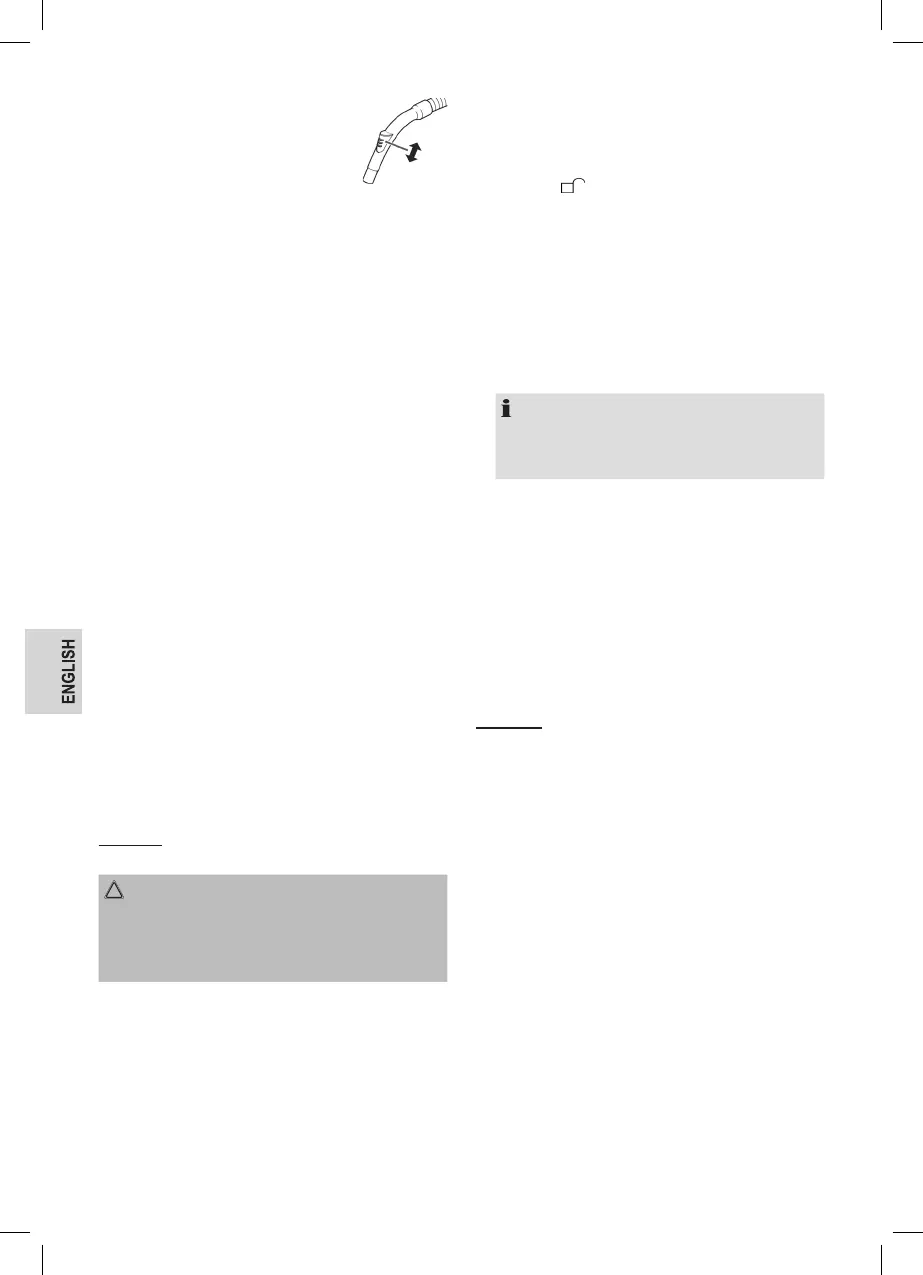
Air Slide
Open the air slide on the hose handle in
order to regulate the airow or to clear any
particles sticking to the nozzle.
Switching off and Winding up the Mains Lead
1. Turn the vacuum cleaner off by the on / off switch and
remove the plug from the socket.
2. Keep the plug in your hand.
3. Press the cable winding button and guide the cable. Hold
the cable to avoid wrapping.
Maintenance
Emptying the Dust Collector
Empty the dust collector once the collected dirt reaches the
MAX marking.
1. Disconnect the mains plug from the wall socket.
2. Disconnect the hose from the hose connection.
3. Press the button (7) to release the dust collector. Remove
the dust collector.
4. Empty the dust collector over a dustbin. To do this, pull
the latch on the dust collector to open the base plate.
5. Then close the base plate again.
6. Attach the dust collector to the appliance. First position it
at the bottom of the appliance and then secure it with the
hook on top.
7. Check that the position of the dust collector is secure by
briey lifting the appliance at its carrying handle.
Filter
Your appliance features 4 lters. The common dust bag
system has been replaced by a transparent dust collector.
The higher ow speed of the collector allows for heavy dirt
and smallest oating particles to be separated from the
“sucked-in air”.
It is thus not necessary to buy dust bags.
Filter Insert
The lters must be cleaned regularly.
CAUTION:
• Never wash the lter in the washing machine.
• Do not use a hairdryer for drying.
• Only use the appliance after the lters have been
installed correctly.
Proceed as follows to remove, clean and reinstall the lter
insert:
1. Empty the dust collector as described previously.
2. Remove the dust collector lid. Turn it anticlockwise in the
direction of .
3. Remove the ne dust lter. Remove the foam insert from
the ne dust lter.
4. Remove the coarse dirt lter from the dust collector.
For this purpose, grasp the lter opening and pull it out
upwards.
5. Use a brush to clean the lters. In case of heavy staining,
clean the lters under running water.
6. Let the lters air-dry completely before retting them!
7. Wipe the dust collector with a damp cloth and then wipe
it dry.
NOTE:
If moisture gets into the rubber seal of the base plate,
carefully remove the seal and dry it as well as the base
plate. Replace the seal.
8. Put the coarse dirt lter back into the collector. Make sure
that the guides are seated in the openings.
9. Insert the foam insert into the ne dust lter. The smooth
side must be visible.
Place the ne dust lter onto the coarse dirt lter.
10. Put the lid back on the dust collector. The guides must
t into the openings. Press it gently and turn it clockwise
until it clicks into position
Check the correct t of the cover. The attened side of the
handle must t over the hose connector.
11. Fit the dust collector in the appliance.
Outlet Filter
The appliance is also equipped with an outlet lter.
It is located on the back of the unit next to the parking aid.
1. Push down the lever (10) and remove the ventilation grille.
2. Remove the lter insert and clean it. You can brush out
the lter. In case of heavy staining, clean the lters under
running water.
3. Reinsert the lter only when fully dried. The guide lugs
must point upwards.
4. Put the ventilation grille back on the appliance. Observe
the guide lugs. The ventilation grid must engage audibly.



 To Next Page