6
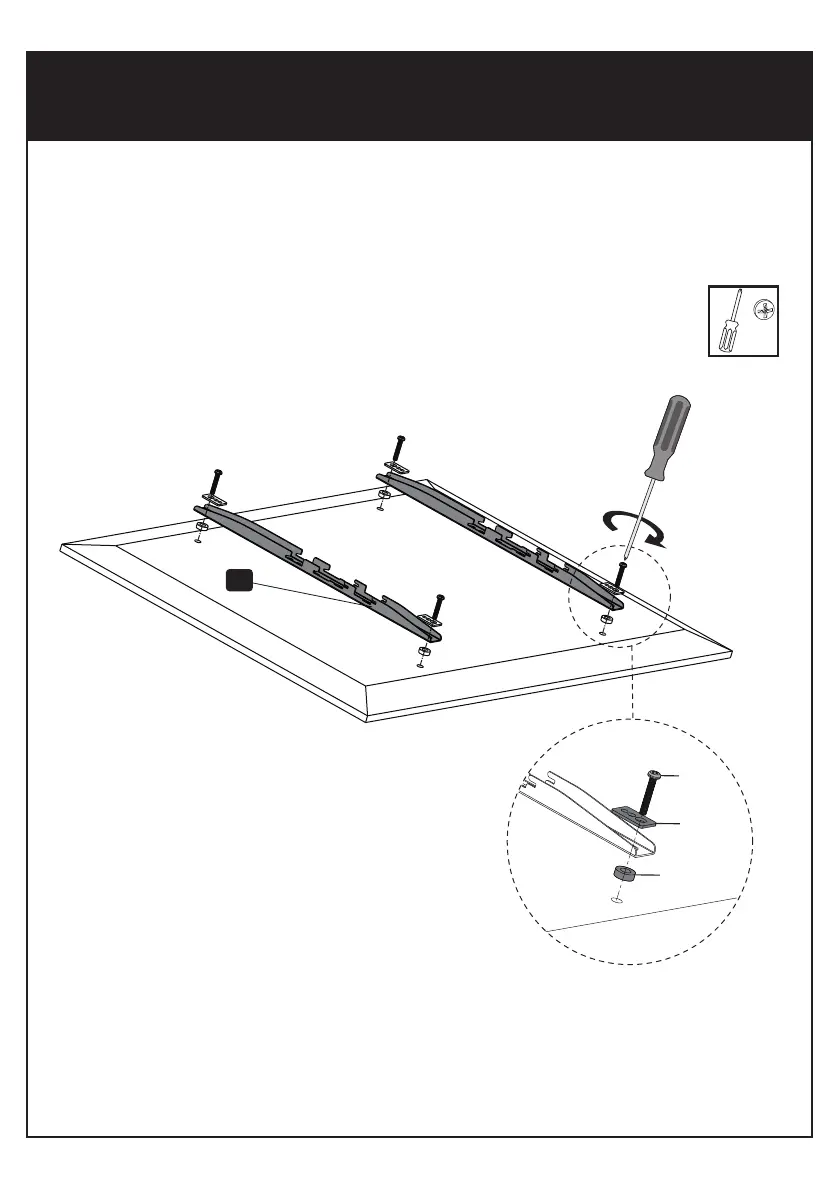
First of all, make sure the diameter of the Bolt(M-A to M-E) your TV requires. Once you have
determined the correct diameter,please see the diagram as below. You will thread the Bolt
into the TV using the correct Washer(M-H), and using the spacer(M-G,W-F) if necessary.
Please make sure the Monitor Brackets are vertically centered and level with each other.
M-A/M-B/M-C
M-D/M-E
M-H
M-F/M-G
4


 To Next Page