4
5 6
A full version of the manual is downloadable at www.sena.com.
Customer Support: support.sena.com
E-mail: support@sena.com
▶ ll
/
/
▶▶◀◀
1”
Jog Dial
Jog Dial
Press
Music
Rotating
while Pressing
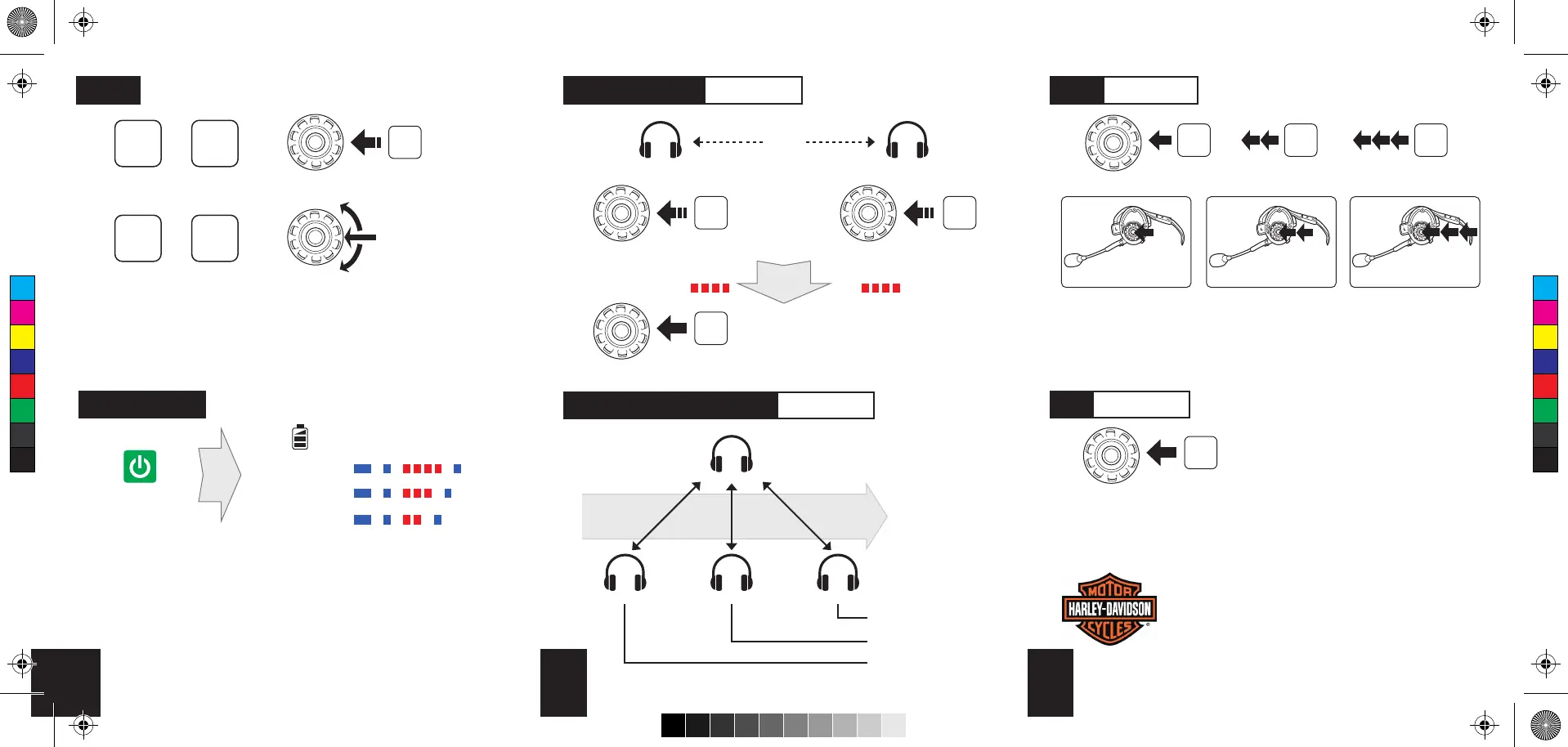
1st Friend
2nd Friend
3rd Friend
Multiple Headset Pairing Intercom
A
C
Last Come,
First Served
B D
Order of pairing
① ② ③
Headset A Headset B
Jog Dial
Press
5”
Tap
Jog Dial
Jog Dial
Headset Pairing Intercom
Pairing
Status LED
Status LED
/ /
Tap Tap Tap
Jog Dial
1st Friend 2nd Friend 3rd Friend
Tap Double Tap Triple Tap
Start Intercom
Tap
Jog Dial
End IntercomBattery Check
Status LED
70 ~ 100%
30 ~ 70%
0 ~ 30%
Power On
- - -
...
- - -
...
- - -
...
Press
5”
C
M
Y
CM
MY
CY
CMY
K
[완료7] QSG_SPH10_v5.0_en_161020.pdf 2 2016-10-20 오전 9:58:41



 To Previous Page