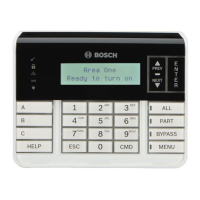
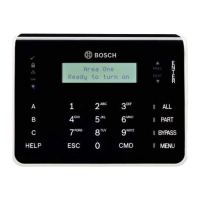
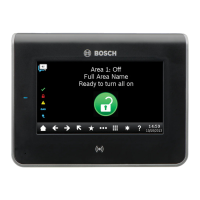
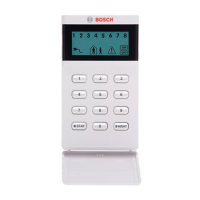
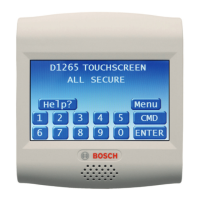
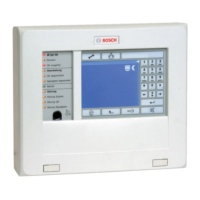
Display
The keypad shows the status of the security system. When several events
occur, the keypad shows each event in order of priority.
*As configured by your security company.
NOTICE! The Access menu and the option to configure a card are available on compatible security systems only.
Status indicators
The indicators show how your system is operating.
Part On status
Green - Ready to turn Part On (part arm). Red - Part On (part armed).
Power
Blue - AC power present.
Trouble
Yellow - A Trouble condition exists.
All On status
Green - Ready to turn All On (arm). Red - All On (armed).
Navigation and Function keys
These keys start the backlighting and the tones.
Command Function
[CMD] 0 Bypass
[CMD] 0 0 Unbypass
[CMD] 1 All on (with delay)
[CMD] 1 1 All On, Instant
[CMD] 2 Part On, Instant
[CMD] 3 Part On (with delay)
[CMD] 4 Silence Trouble Sounders
[CMD] 4 0 See Alarms
[CMD] 4 1 Test Report
[CMD] 4 2 Status Report
[CMD] 4 3 RPS Answer
[CMD] 4 4 Intrusion Walk Test
[CMD] 4 5 Date and Time
[CMD] 4 6 Door Control Menu
[CMD] 4 7 Reset Sensors
Command Function
[CMD] 4 9 Change Display
[CMD] 5 0 Go to Area
[CMD] 5 1 Extend Close
[CMD] 5 2 SKED Menu
[CMD] 5 3 Delete User
[CMD] 5 4 Output Change Menu
[CMD] 5 5 Change Passcode
[CMD] 5 6 Add User
[CMD] 5 7 Default Text
[CMD] 5 8 Fire Walk Test
[CMD] 5 9 Show Revision
[CMD] 6 Watch Mode
[CMD] 7* Special Alert _____________
[CMD] 8 Open Main Menu
[CMD] 9* Special Alert _____________
PREV (p) and NEXT (q)
Use [PREV] (previous) and [NEXT] to scroll through lists and text.
ESC (Ø)
Use [ESC] (escape) to exit from menus and functions, or
to delete letters or numbers.
ENTER (▬)
Use [ENTER] after entering your passcode, to select an item, or
to enter Yes to a request.
CMD (#)
Use [CMD] (command) in combination with one or
two number keys to perform select functions.
Commands
You can operate functions
with the [CMD] plus one or
two digits.
Touch the [CMD] key, then
enter the command.
- or -
After you press [CMD],
then use [PREV] and
[NEXT] to move through the
commands. To engage the
command, touch [ENTER].
Use [CMD]8 to open the Main
menu.
Menu tree
[CMD] [8] shows the menu tree. Each option has a number. Touch the number for the desired menu, or use [PREV] or
[NEXT] to review your options, and then touch [ENTER] when you see the desired option.

 Need help?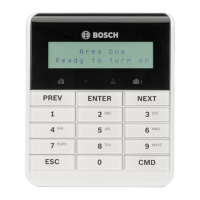

 To Next Page
 General