MY22B01 - 12_1.0_26.08.2021
65
Assembly
5.3.2.3 Fit battery cover onto Bosch PowerTube 500 battery (horizontal)
Only applies to pedelecs with this equipment
1 Detach the upper interface (lock side) from the
BOSCH PowerTube 625 battery with a TORX®
T20 wrench.
Figure 59: Detaching the upper interface
2 Fasten the PowerTube extension to the
BOSCH PowerTube 500 battery using the two
M4 x 8 T20 screws supplied. In doing so,
ensure that the closed side faces the front of
the battery (towards On-Off switch). The
smooth upper surface of the PowerTube
extension must face upwards, away from the
battery.
Figure 60: Fitting the PowerTube extension
3 Screw the battery mounting plate onto the
PowerTube extension with original BOSCH
screws (M4 × 8 T20). To do so, use the
PowerTube extension screw plate as a counter
support. When positioning the extension,
ensure that the removal tab faces the front of
the battery.
Figure 61: Fastening the battery mounting plate
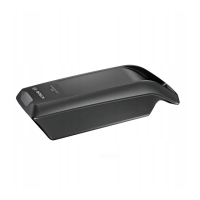
4 Press to push the battery cover onto the
battery. In doing so, ensure that the battery
On-Off switch fits through its designated slot in
the cover.
The battery cover will lock into the fitting
grooves on the battery.
Figure 62: Pushing the battery cover onto battery
The battery can now be inserted into the frame.



 To Next Page
 Loading...