1 609 929 W99 | (20.3.12) Bosch Power Tools
14 | English
6 Adhesive pad**
7 Template for drilling-depth adjustment
Accessories shown or described are not part of the standard delivery scope of
the product. A complete overview of accessories can be found in our acces-
sories program.
**Commercially available (not included in the delivery scope)
Technical Data
Operation
Working Advice
Attaching the Adhesive Pads (see figure A)
Use suitable adhesive pads 6 and attach them to the intended locations
on the dust box 4. Observe the practical advice enclosed with the adhe-
sive pads.
When using adhesive pads that are too thick, the resulting drilling dust
cannot be collected.
Fastening the Dust Box (see figure B)
For exact drill holes, punch-mark the drilling location by pressing on the
punch 1.
Note: Do not use a hammer. Use caution when punch-marking certain ma-
terials, e. g., tiles.
Take care that the surface onto which you want to apply the dust box 4 is
clean and free of grease. Apply the dust box 4 horizontally to the wall in
such a manner that the previously marked drilling location can be seen
centred in the dust-protection ring 2. Check if the dust box 4 is held se-
curely on the wall.
f Do not hold the dust box 4 with your hand, so that both hands are
free to hold the power tool.
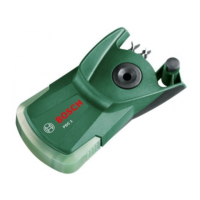
Multifunction drilling assistant PDC 1
Article number
3 603 CA5 0..
Max. drilling dia.
mm 10
Weight according to EPTA-Procedure 01/2003
kg 0.11
OBJ_BUCH-1287-002.book Page 14 Tuesday, March 20, 2012 10:25 AM


 To Next Page