Doorbell
Quick Install Guide
Introduction
:
The BOSMA doorbell is a accessory sensor to the BOSMA X1 home
security camera. It primarily serves as a simple doorbell at the front
door. When it is pressed, it notifies the camera which plays a doorbell
ringing sound and sends a notification to your phone.
Alternatively, it could also be used as an emergency button for those
that may need immediate attention at any time, e.g. an elderly person at
home.
Button
Fig.1
Installation Guide
1. Pair the doorbell with a BOSMA X1 camera
l Open the BOSMA app, make sure that a BOSMA X1 camera has
been added to your account

 Need help?
 General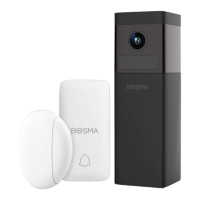

 To Next Page

