-27-
STEERING WHEEL CONTROL
Press the SRC repeatedly to select the
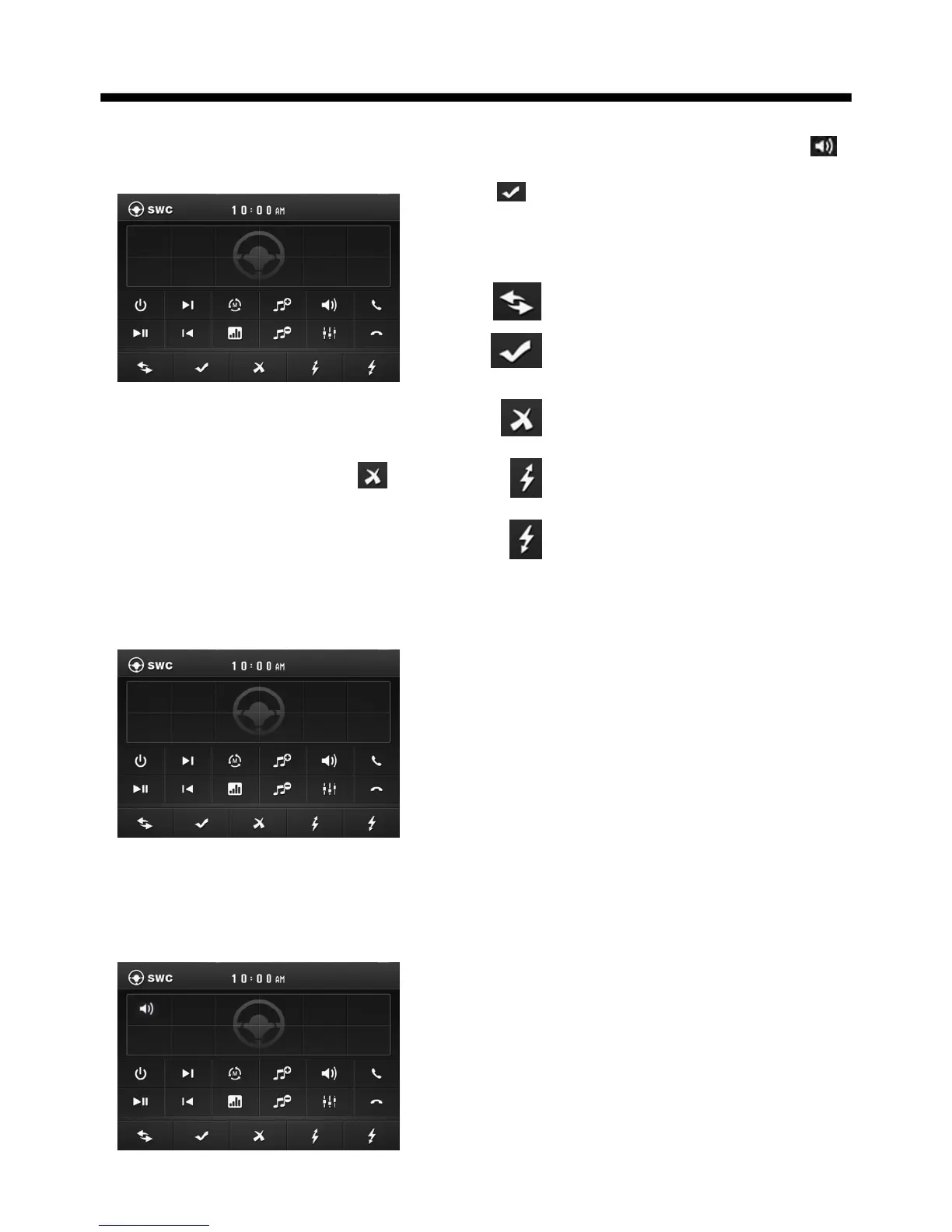
SWC mode, the message will like
following as below :
There are 2 KEY for no more than 12
buttons to select.
Before operation, select the icon
to cancel the original input that to
set your favour.
For first time use this function, input a
key (such as 0.38,0.38 is a magnitude
of voltage, according to your car )
through the steering remote and
show in button 1 position.
Then select a function icon such as
will show in button 1 position and select
to confirm and back to home menu
that means select finish.
The function of the icons as follow:
To begin function save.
After selection to confirm
operation.
To cancel the input and
resume load.
When electric resistance is too
low, select this icon to increase.
When electric resistance is too
high, select this icon to reduce.
0.38
Use the VOL knob or the </> button to
do selection.
First select Assign begin setting;
then select the input(0.38) and press
SEL or ENTER to confirm;



 To Next Page