Display Reference
23
Review Measurements in Automatic Mode
Upon completing a series of measurements in Automatic
mode, you can review each measurement in the series by
pressing the Review button. (You cannot review the first
measurement of the series because it is always
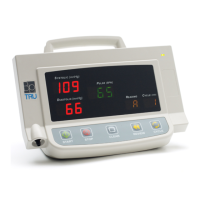
discarded.) As the result of each reading is shown, the
reading number (“2” through “6”) is shown in the
Reading display. The value “A” in the Reading display
indicates that the average of the last five readings is
being shown.
If you press the Review button between measurements
during an automatic series of measurements, the BpTRU
suspends measurement. You can then cycle through the
measurements taken to that point using the Review
button.
Press the BP Start button to resume the automatic series.
Pressing the Review button during a measurement has
no effect.
Recovering from Sleep Mode
The BpTRU will enter sleep mode if left idle for 10
minutes. All displays will go blank. If the displays are
blank, press any button to reenter the normal operating
mode.
All the data stored in memory is still available and can
be viewed using the Review button. Recorded
measurements are only lost when the Clear button is
pressed or power is turned off.


 To Next Page