EasyManua.ls Logo

Braun BC10-DCF - User Manual

Braun BC10-DCF
21 pages
Print Icon
To Next Page IconTo Next Page
Loading...
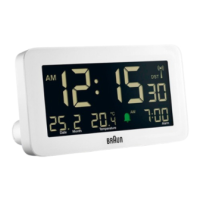
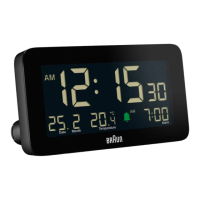
BC10-DCF
Alarm clock
(Radio controlled)
Wecker
(Funkgesteuert)
veil
(Radio piloté)
Sveglia
(Radiocontrollata)
Wekker
(Radiogestuurd)
Vækkeur
(Radiostyret)
Despertador
(Controlado por radio)
English
User instructions
Guarantee
Deutsch
Gebrauchsanweisung
Garantie
Français
Mode d’emploi
Garantie
Italiano
Manuale di istruzioni
Garanzia
Nederlands
Gebruiksaanwijzingen
Garantie
Dansk
Brugervejledninger
Garanti
Español
Instrucciones para el usuario
Garantía
No signal
Kein Signal
Pas de signal
Nessun segnale
Geen signaal
Intet signal
Sin señal
Weak signal
Schwaches Signal
Signal faible
Segnale debole
Zwak signaal
Svagt signal
Señal débil
Strong signal
Starkes Signal
Signal fort
Segnale forte
Sterk signaal
Stærkt signal
Señal fuerte
1.
2. 3.
312
10 7
CG
HI
D
89 11
1 2
4
6 5
A E FB
J

Other manuals for Braun BC10-DCF

Question and Answer IconNeed help?

Do you have a question about the Braun BC10-DCF and is the answer not in the manual?

Summary

Battery Precautions

Getting Started

Radio Controlled Operation

Function Keys Overview

TIME SETTING; NEUTRAL; ALARM SETTING Switch

Controls time and alarm setting modes, and returns to normal display.

+ Key

Increases setting values and changes display formats (12/24h, C/F).

- Key

Decreases setting values and changes temperature units (°C/°F).

ALARM ON; OFF Slider

Enables or disables the alarm and snooze function.

SNOOZE; LIGHT Touch Button

Activates backlight for 10 seconds or snooze function.

RESET Key

Resets all unit values to default settings in case of malfunction.

RCC Key

Tests RC signal reception or disables automatic RC function.

CALENDAR SETTING Button

Used to set the year, month, and date.

BACKLIGHT ON;OFF Switch

Controls the night light mode, enabling or disabling it.

Display Details and Indicators

Display Details

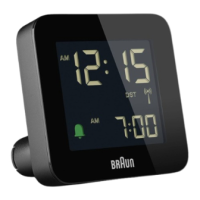
Explanation of the various elements shown on the LCD display.

RC Signal Strength Indicator

Displays the strength of the radio-controlled signal reception.

Setting the Time

Setting the Year, Date and Month

Setting the Alarm

Using the Alarm and Snooze Function

Setting the Night Light

Battery Replacement

Guarantee Information

Product Support and Compliance

Braun Helpline

Contact information for product support and troubleshooting.

WEEE Directive Compliance

Information regarding proper disposal of electronic waste.

EU Declaration of Conformity

Statement of compliance with relevant EU directives.

Summary

Battery Precautions

Getting Started

Radio Controlled Operation

Function Keys Overview

TIME SETTING; NEUTRAL; ALARM SETTING Switch

Controls time and alarm setting modes, and returns to normal display.

+ Key

Increases setting values and changes display formats (12/24h, C/F).

- Key

Decreases setting values and changes temperature units (°C/°F).

ALARM ON; OFF Slider

Enables or disables the alarm and snooze function.

SNOOZE; LIGHT Touch Button

Activates backlight for 10 seconds or snooze function.

RESET Key

Resets all unit values to default settings in case of malfunction.

RCC Key

Tests RC signal reception or disables automatic RC function.

CALENDAR SETTING Button

Used to set the year, month, and date.

BACKLIGHT ON;OFF Switch

Controls the night light mode, enabling or disabling it.

Display Details and Indicators

Display Details

Explanation of the various elements shown on the LCD display.

RC Signal Strength Indicator

Displays the strength of the radio-controlled signal reception.

Setting the Time

Setting the Year, Date and Month

Setting the Alarm

Using the Alarm and Snooze Function

Setting the Night Light

Battery Replacement

Guarantee Information

Product Support and Compliance

Braun Helpline

Contact information for product support and troubleshooting.

WEEE Directive Compliance

Information regarding proper disposal of electronic waste.

EU Declaration of Conformity

Statement of compliance with relevant EU directives.

Braun BC10-DCF Specifications

General IconGeneral
TypeAlarm Clock
DisplayDigital
Power SourceBattery
Alarm FunctionYes
Snooze FunctionYes
RadioNo
MovementQuartz
Radio ControlledYes
Display TypeLCD
BacklightYes
Time Format12/24 hour
Dimensions58 x 58 x 20 mm

Related product manuals