Need help?
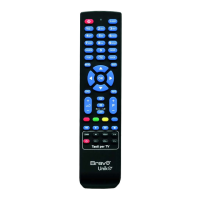
Do you have a question about the Bravo R-025 and is the answer not in the manual?
Lists the 8 types of device keys available on the remote.
Enlists the 11 device categories supported by the remote control.
Details the size of the code library for various device types.
Outlines the four primary operation modes of the remote.
Describes the function of the LED for transmission and setup.
Notes the inclusion of Teltxt/Fastext functionality.
Highlights the remote's punch-through capability.
Explains the volume and mute lock feature.
States the availability of a menu function.
Explains how to set up the remote using brand-specific codes.
Details the process for setting up the remote using Quick Search.
Explains how to display the 3-digit device code using the remote.
 General
| Brand | Bravo |
|---|---|
| Model | R-025 |
| Category | Remote Control |
| Language | English |


 To Next Page