EasyManua.ls Logo

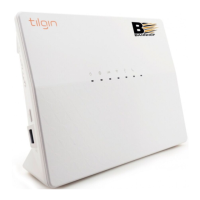
Bredband2 Tilgin HG2501 - User Manual

Bredband2 Tilgin HG2501
12 pages
Go to English
Print Icon
To Next Page IconTo Next Page
Loading...
Multi WAN Residential Gateway
Installationsguide
v. 2021-12-03
Tilgin
Question and Answer IconNeed help?

Do you have a question about the Bredband2 Tilgin HG2501 and is the answer not in the manual?

Summary

Setting Up Your Router

Unpacking the Starter Kit

Confirms all necessary items are included in the router's initial package.

Connecting to Broadband

Step-by-step guide for establishing the initial WAN/broadband internet connection.

Device Connectivity

LAN Connection Guide

Instructions for connecting wired devices to the router using Ethernet ports.

WiFi Connection Guide

Steps for connecting devices wirelessly to the router's WiFi network.

Router Interface and Indicators

Front Panel Indicator Lights

Explains the meaning of Status, Internet, WAN, LAN, and WiFi lights on the front panel.

USB Port Indicator

Details the status of devices connected to the router's USB port.

Accessing the Browser Interface

Provides IP address, username, and password for router configuration.

Troubleshooting and Support

Troubleshooting Common Issues

Guidance for resolving common problems encountered during setup and operation.

Contacting Bredband2 Support

Provides essential contact details for customer service and technical assistance.

Summary

Setting Up Your Router

Unpacking the Starter Kit

Confirms all necessary items are included in the router's initial package.

Connecting to Broadband

Step-by-step guide for establishing the initial WAN/broadband internet connection.

Device Connectivity

LAN Connection Guide

Instructions for connecting wired devices to the router using Ethernet ports.

WiFi Connection Guide

Steps for connecting devices wirelessly to the router's WiFi network.

Router Interface and Indicators

Front Panel Indicator Lights

Explains the meaning of Status, Internet, WAN, LAN, and WiFi lights on the front panel.

USB Port Indicator

Details the status of devices connected to the router's USB port.

Accessing the Browser Interface

Provides IP address, username, and password for router configuration.

Troubleshooting and Support

Troubleshooting Common Issues

Guidance for resolving common problems encountered during setup and operation.

Contacting Bredband2 Support

Provides essential contact details for customer service and technical assistance.

Bredband2 Tilgin HG2501 Specifications

General IconGeneral
BrandBredband2
ModelTilgin HG2501
CategoryWireless Router
LanguageEnglish