EasyManua.ls Logo

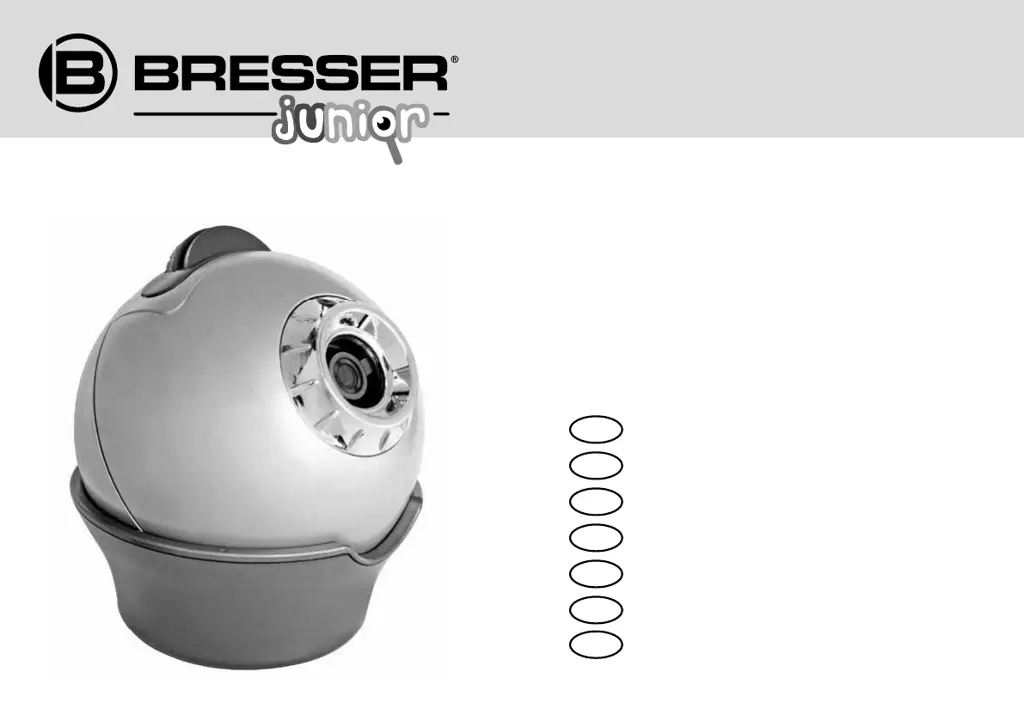
Bresser Junior Astro Planetarium - User Manual

Bresser Junior Astro Planetarium
60 pages
Go to English
Print Icon
To Next Page IconTo Next Page
Loading...
DE
EN
FR
NL
IT
PL
ES
Bedienungsanleitung
O
perating Instructions
Mode
d’emploi
Ha
ndleiding
I
struzioni per l’uso
Instrucciones de uso
I
nstrukcja obsługi
Art. No. 8847100
Astro Planetarium

Questions and Answers

  • C
    Christopher LeeJul 27, 2025
    How to fix Bresser Junior Projector that won't turn on?
    • M
      Matthew WoodJul 28, 2025
      If your Bresser Junior Projector isn't turning on, the batteries may be improperly installed or dead. First, check that the batteries are placed according to the instructions, paying attention to the positive (+) and negative (-) terminals. If they are correctly installed, try replacing them with new, unused batteries, again ensuring correct terminal alignment.
  • D
    David HallAug 1, 2025
    Why is the projected image from my Bresser Junior Projector fuzzy and out of focus?
    • C
      Carly TrevinoAug 1, 2025
      A fuzzy projected image on your Bresser Junior Projector could be due to a couple of reasons. First, ensure the projector is at least 1.8 to 2 meters away from the projection surface (wall or ceiling). If the distance is correct, try adjusting the focus by turning the focus knob.
  • C
    Clifford JohnsonAug 4, 2025
    What to do if the projected image is not visible on my Bresser Junior Astro Planetarium?
    • S
      Sarah MontgomeryAug 4, 2025
      If your Bresser Junior Projector is on but not projecting an image, the sleep mode may be activated. Turn the projector off using the On/Off switch, wait about 10 seconds, and then turn it back on.
  • K
    Karen BallardAug 9, 2025
    Why is my Bresser Junior Astro Planetarium Projector not showing the correct sky projection?
    • R
      Richard ScottAug 9, 2025
      If your Bresser Junior Projector isn't showing the correct sky projection, make sure the correct slide plate is inserted into the holder. Also, ensure that you have correctly adjusted the date and time of the observation span.
  • L
    Laura SimmonsAug 13, 2025
    How to correct a distorted image on my Bresser Junior Astro Planetarium?
    • B
      Brandon SanchezAug 13, 2025
      A distorted, non-round image from your Bresser Junior Projector might be because the objective lens isn't parallel to the projection surface. Try adjusting the projector in its pedestal so that the objective lens is parallel to the wall or ceiling.
  • J
    Jessica WilliamsAug 17, 2025
    Why does the projected image from my Bresser Junior Projector have flecks?
    • P
      Patrick DoughertyAug 18, 2025
      If your Bresser Junior Projector's image has flecks, the objective lens may be dirty. Clean the objective lens with a clean, lint-free cloth as described in the instructions.
  • A
    Andrew AdkinsAug 21, 2025
    Why is my Bresser Junior Astro Planetarium only showing a bright circle of light?
    • Z
      zjonesAug 22, 2025
      If your Bresser Junior Projector is only projecting a bright circle of light, you've likely forgotten to insert a slide plate. Place one of the two slide plates into the slide plate holder.

Summary

Safety and Warnings

Risk of Physical Injury

Warnings about electronic components and unsupervised use of the device by children.

Setting Up the Astro Planetarium

Battery Installation

Instructions for opening the compartment, inserting batteries correctly, and closing.

Using the Astro Planetarium

Sky Projection Setup

Steps to set up the slide plates and prepare for projection.

Troubleshooting

Cannot Turn On

Solutions for issues with powering on the planetarium, including battery checks.

Distorted or Incomplete Image

Fixes for distorted images, incorrect roundness, and projection distance.

Fuzzy or Flecked Image

Solutions for fuzzy images and flecks, related to focus and lens cleanliness.

Incorrect Sky Portion

Troubleshooting for projecting the wrong part of the sky due to slide plate or date/time settings.

Bresser Junior Astro Planetarium Specifications

General IconGeneral
TypePlanetarium Projector
Light SourceLED
Power SourceBattery
ConstellationsYes
Battery Type3x AA (not included)
Power Supply3x AA Batteries (Not Included)
FeaturesStar projection, constellation projection, adjustable focus
WeightApprox. 500 g
Recommended Age6+