EasyManua.ls Logo

BRIO 612 - Installing Screen

BRIO 612
13 pages
Print Icon
To Next Page IconTo Next Page
To Previous Page IconTo Previous Page
Loading...
APPLY
APPLY
SCREEN
ASSEMBLY
CASSETTE
ASSEMBLIES
MASKING
TAPE OR
BLUE
PAINTERS
TAPE
ii
i
CUT END
(BOTTOM)
BA
BA
CASSETTE
ASSEMBLY
BA
TRACK (RST or RSTT)
B
A
INSTSCREEN | Rev | |3 C Feb 2020 5
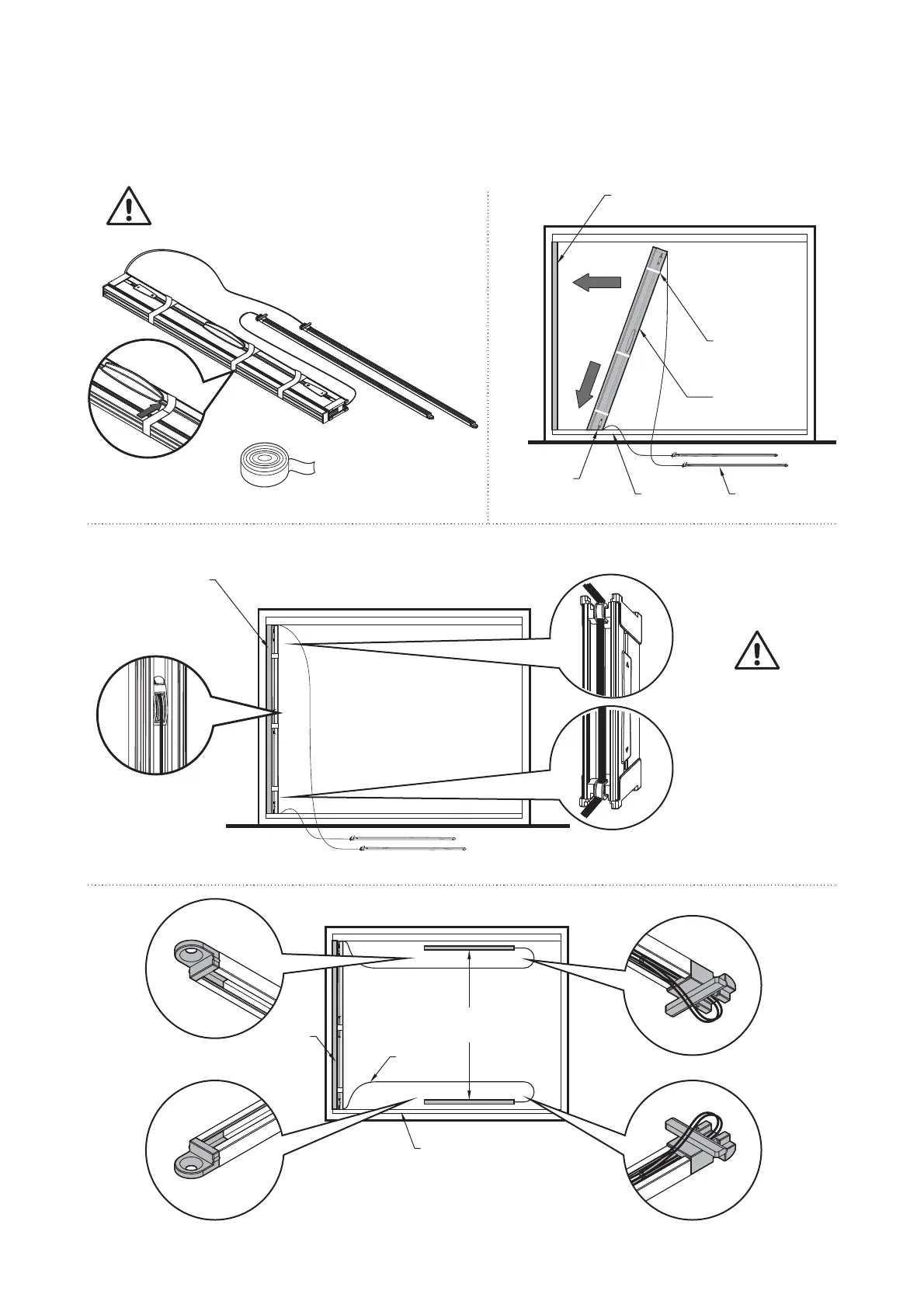
6. Installing Screen
Carefully remove wrapping.
Ensure that the screen assembly
is tightly compressed
A.
Masking tape or
blue painters tape
B.
RSJ
JAMB MOUNTING
EXTRUSION
RSC
CHANNEL
C.
SNAP
INSERT
D.
RSJ
JAMB
MOUNTING
EXTRUSION
CORDS
RSC
CHANNEL
ALIGN CORDSALIGN CORDS
RSJ
JAMB
MOUNTING
EXTRUSION
Align cords on
individual roller
ALIGN CORDSALIGN CORDSALIGN CORDSALIGN CORDSALIGN CORDS
Align all cords
on end rollers
Ensure the cords
are not twisted
or tangled
TRACK (RST or RSTT)