Or if you have zone dampers, "Presleep" can be used to switch them ON or OFF, e.g. to pre-
warm the bedrooms before going to sleep.
Operating the Auto Program.
Now, if you are happy with these pre-set "Auto-Program" [3b] settings, then all you need to
do is to run the system in automatic by following these simple steps:
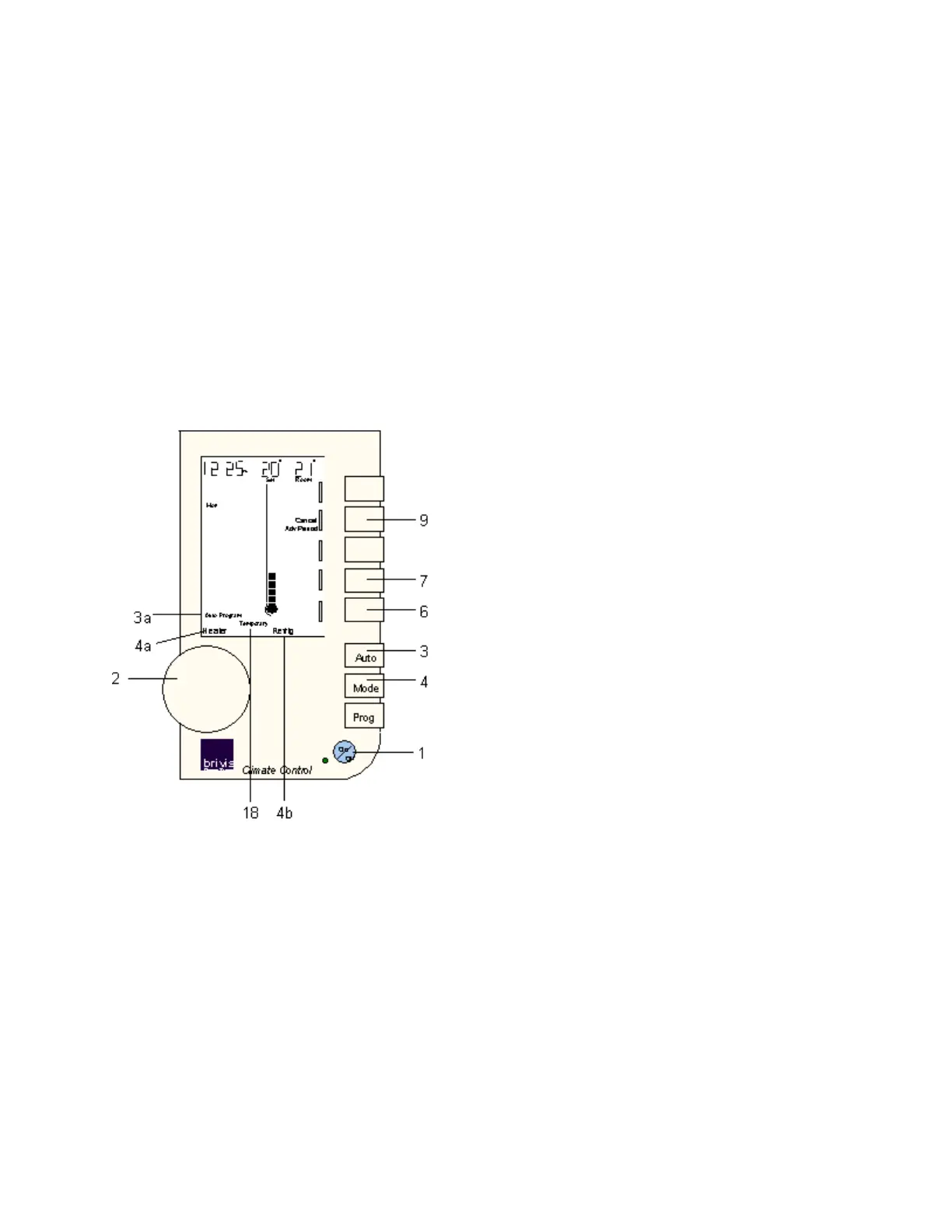
If you have more than one type of appliance, then with the Networker turned OFF [1], just
press the MODE control key [4] until it selects "Heater" [4a].
Next, turn the Networker ON [1] and press the AUTO key [3] until "Auto-Program" [3b]
appears near the bottom left-hand corner of the screen.
But, if these pre-set "Auto-Program" settings do not suit your immediate needs, you may
want to temporarily override them. If you do, read on.
Overriding the Auto-Program Settings.
If you want to temporarily override the Auto-Program settings, the Networker provides two
ways of doing this.
Both of these changes are temporary, so the word "Temporary" [18] will flash while they
are operating.
The first method is to press the "Adv.Period" [9] control key and jump into the next "Auto-
Program" period immediately. (e.g. if you come home earlier than usual, use this to move
out of "Leave" and into "Return").


 To Next Page
 Loading...