202306V1
詳細につきましては以下のリンクをご確認ください。
www.brookaccessory.com
P/N:Pocket Auto Catch Light
M/N:ZPP0067
7.ペアリン待機中。ポケモン Go プラスのアイコンが
ON になればペアリング完了です。
水に濡らさな
いでください
ポケモン Go アプリ、Android、iOS の更新によりポケット
オートキャッチPLUS が接続できなくなることがあります。
更新時における動作保証は、販売元である Brook の保証
対象外になりますので、あらかじめご了承ください。
連接成功
ケモンGoプラスとして
ペアリング 完 了
219-239147
202306V1
7. Waiting for pairing. When Pokémon GO Plus icon
turns on, it means the pairing is completed.
This Product
is NOT water
resistant
Pocket Auto Catch Light may fail to
pair to device because of the update
of Pokemon Go app, and the upgrade
of Android and iOS.
pairing successful
Successfully connected
to Pokémon GO Plus
For more details please visit our ocial website at
www.brookaccessory.com
FCC Statement
This device complies with part 15 of the FCC Rules. Operation is subject to the
following two conditions: (1) this device may not cause harmful interference,
and (2) this device must accept any interference received, including interference
that may cause undesired operation.
Note:
This equipment has been tested and found to comply with the limits for a Class
B digital device, pursuant to part 15 of the FCC Rules. These limits are designed
to provide reasonable protection against harmful interference in a residential
installation.
This equipment generates, uses, and can radiate radio frequency energy and, if
not installed and used in accordance with the instructions, may cause harmful
interference to radio communications. However, there is no guarantee that
interference will not occur in a particular installation.
If this equipment does cause harmful interference to radio or television
reception, which can be determined by turning the equipment o and on, the
user is encouraged to try to correct the interference by one or more of the
following measures:
•Reorient or relocate the receiving antenna.
•Increase the separation between the equipment and receiver.
•Connect the equipment to an outlet on a circuit dierent from that to which
the receiver is connected.
•Consult the dealer or an experienced radio/TV technician for help.
Changes or modications not expressly approved by the party responsible for
compliance could void the user’ s authority to operate the equipment.
IC: 29174-ZPP0067
Device requires Bluetooth low-energy compatible
smartphone with Pokémon Go app installed. Compatible
with iPhone 6S or higher devices with iOS Ver. 12 or higher
version installed. Compatible with Android devices with 4 GB
RAM or more. Bluetooth Smart (Bluetooth Ver. 4.0 or higher)
capability and Android Ver. 7.0 or higher version installed.
This Product is not sponsored, endorsed, or approved
by Nintendo, The Pokémon Company or Niantic.
P/N:Pocket Auto Catch Light
M/N:ZPP0067
FCC ID: 2ADKM0067
対応可能装置に対して、既にPokémonGoアプリをインス
トール済み、Bluetooth低エネルギーに対応するスマート
フォンが必要となります。なおiPhone使用の場合なら、
6S以上・端末或いはiOSVer.12以上搭載のをご推薦しま
す。そしてAndroid端末の場合なら、4GB以上のRAMを
内蔵し、BluetoothSmart(BluetoothVer4.0以上 ) と
AndroidVer7.0以上替換成搭載するほうがご推薦します。
この製品は Nintendo、ThePokémonCompany、
Niantic が正式承認されるものではありません。
最新情報については Brook の
ウェブサイトをご覧ください。
最新マニュアル、その他の製
品情報をご確認いただけます。
202306V1
AutoCatchLightとスマートフォンのペアリング
詳細につきましては以下のリンクをご確認ください。
www.brookaccessory.com
製品説明
P/N:Pocket Auto Catch Light
M/N:ZPP0067
Bluetooth ON
7.ペアリン待機中。ポケモン Go プラスのアイコンが
ON になればペアリング完了です。
1 . スマ ートフォン の
Bluetooth をオン
にします。
2.ポケモン Go の地図を表示させ、
メインメニューボタンを押します。
3.右上の設定ボタンを
押します。
4. 設定ページで「接続された
デバイスとサービス」を選
択してくだ さ い 。
5.「接続されたデバイスとサービス」
ページで、「PokémonGoPlus」
を 選 択してくだ さ い 。
6.使用可能なデバイスから、
「PokémonGoPlus」を
選 択してくだ さ い
ペアリングできない場合:
重要
この商品は製造物責
任賠償保険に加入し
ております
アプリケーション
「PocketCenter」
サポート
水に濡らさな
いでください
•まずスマートフォンのブルートゥース設定で、ポケモン Go プラスとのペアリングを切断してください。
•アプリ内設定で、一度ポケモン Go プラスの接続を解除してください。
•接続ボタンをクリックし、新しいポケモン GoPlus がゲームに表示されたら、単純に再接続してください。
本製品を他のスマートフォンとペアリングしていたり充電が不足
していると、接続不良や電源のオンオフができなくなる可能性
が あります。
ポケモン Go アプリ、Android、iOS の更新によりポケット
オートキャッチPLUS が接続できなくなることがあります。
更新時における動作保証は、販売元である Brook の保証
対象外になりますので、あらかじめご了承ください。
Brook Pocket
接続ランプ状態表示
AutoCatchLightの充電
ゲーム状態ランプ表示
緑ランプ点滅
Bluetooth 接続待機中
紫ランプ
接続成功
赤ランプ点滅
携帯電話がネットワーク
に接続できません
状態
緑ランプ
黄ランプ点滅
白いランプ点滅
緑、赤、青のランプが交互に点滅
赤ランプ点滅
青ランプ点滅
赤ランプ
緑、赤、青のランプが交互に点滅
赤ランプ
赤ランプ点滅
白いランプ
緑、赤、青のランプが交互に点滅
白いランプ
赤ランプ点滅
既にゲット済みのポケモンを発見
新しいポケモンを発見
進行中
ポケモンゲット
ポケモンゲットに失敗
ポケストップが範囲内
ポケストップが範囲外
ポケストップでアイテムをゲット
ポケモンがいっぱいです
ポケモンボールの玉切れ
道具がいっぱい
充電
満充電
低電力
ランプ
AR
Uploads
Connected Devices and Services
Advanced Settings
Pokémon HOME
Poké Ball Plus
Pokémon GO Plus
AVAILABLE DEVICES
Pokémon GO Plus
AVAILABLE DEVICES
Pokémon GO Plus
連接成功ペアリング 解 除
ケモンGoプラスとして
ペアリング 完 了
1P 接続ボタン
&RGB ライト表示
Type-C 充電ポート
2P 接続ボタン
&RGB ライト表示
Notice
•フル充電に約 1 時間かかり、1P 接続ボタ
ンのランプが白く点灯したら、フル充電状
態で約 15 時間使用できます。
•スタンバイ状態では、約 5 日間使用でき
ます。
•ポケモン Go プラスは
1 時間ごとに自動的に
タイムアウトしますので
再接続してください。
•PocketAutoCatchLight をご使用に
なる前に、必ず充電をしてください。
•Type-C 充電ケーブルが装置に正しく
接続されているか確認してください
1. Type-C 充電ケー
ブルを背面の
Type-C 充電ポー
トに差し込 み
2.1P 接続ボタンのラン
プが 点 灯していること
を 確 認してくだ さ い
充電中:
緑、赤、青のランプが交互に
点滅しています
満充電:
白いランプが点灯しています
R
219-239147
202306V1
Pair Pocket Auto Catch Light with your phone
Product Description
Bluetooth ON
7. Waiting for pairing. When Pokémon GO Plus icon
turns on, it means the pairing is completed.
1. Turn on your mobile
Bluetooth.
2. Launch the Map View of Pokémon
Go. Tap the Main Menu button.
3. Tap Settings at
the top right.
4.Select Connected Devices
and Services in settings
page.
5. Select Pokémon GO Plus in
Connected Devices and Services
page.
6. Select Pokémon GO Plus
in avalible devices.
Having diculties pairing?
IMPORTANT
Product Liability
Insurance
included
Application
「Pocket Center」
Support
This Product
is NOT water
resistant
When your Pocket Auto Catch Light has paired to other device,
runs out of power or has any abnormality that it cannot be
paired to your current device.
•Go to “Bluetooth” in “Settings” on the phone to remove/ clear
Pokémon GO Plus.
•Go to the “Settings“ in the game, excit/ clear Pokémon GO Plus.
Pocket Auto Catch Light may fail to
pair to device because of the update
of Pokemon Go app, and the upgrade
of Android and iOS.
Brook Pocket
Connection Pairing Indicator Lights
Charge Your Pocket Auto Catch Light
Game Status Indicator Lights
Green ashing
Awaiting bluetooth
connection
Purple
Connection
successful
Red ashing
Phone unable to
connect to Internet
Green
Yellow ashing
White ashing
The green, red, and blue lights ash alternately
Red ashing
Blue ashing
Red
The green, red, and blue lights ash alternately
Red
Red ashing
White
The green, red, and blue lights ash alternately
White
Red ashing
Duplicate Pokémon found
New Pokémon discovered
Waiting
Pokémon caught
Pokémon not caught
Pokéstop in range
Pokéstop not in range
Pokéstop items collected
Pokémon is full
Out of Pokéballs
Bag is full
Charging
Full Charged
Low power
StatusLight
AR
Uploads
Connected Devices and Services
Advanced Settings
Pokémon HOME
Poké Ball Plus
Pokémon GO Plus
AVAILABLE DEVICES
Pokémon GO Plus
AVAILABLE DEVICES
Pokémon GO Plus
pairing successfulunpaire
Successfully connected
to Pokémon GO Plus
1P connection button
& RGB signal display
Type-C charging port
2P connection button
& RGB signal display
•It takes about 60 minutes
to fully charge, and can
last for approximately 15
hours of continuous use.
When fully charged, the
indicator light will show as
white.
•Standby time is approx. 5
day.
•Pocket Auto Catch Light will
time out automatically every
hour, so players have to
reconnect it.
1. Insert the cable
into the USB-C
port
2. Conrm 1P
connection button
indicator light
In charging:
The green, red, and blue lights
ash alternately
Full Charged:
White Light
For more details please visit our ocial website at
www.brookaccessory.com
FCC Statement
This device complies with part 15 of the FCC Rules. Operation is subject to the
following two conditions: (1) this device may not cause harmful interference,
and (2) this device must accept any interference received, including interference
that may cause undesired operation.
Note:
This equipment has been tested and found to comply with the limits for a Class
B digital device, pursuant to part 15 of the FCC Rules. These limits are designed
to provide reasonable protection against harmful interference in a residential
installation.
This equipment generates, uses, and can radiate radio frequency energy and, if
not installed and used in accordance with the instructions, may cause harmful
interference to radio communications. However, there is no guarantee that
interference will not occur in a particular installation.
If this equipment does cause harmful interference to radio or television
reception, which can be determined by turning the equipment o and on, the
user is encouraged to try to correct the interference by one or more of the
following measures:
•Reorient or relocate the receiving antenna.
•Increase the separation between the equipment and receiver.
•Connect the equipment to an outlet on a circuit dierent from that to which
the receiver is connected.
•Consult the dealer or an experienced radio/TV technician for help.
Changes or modications not expressly approved by the party responsible for
compliance could void the user’ s authority to operate the equipment.
IC: 29174-ZPP0067
Device requires Bluetooth low-energy compatible
smartphone with Pokémon Go app installed. Compatible
with iPhone 6S or higher devices with iOS Ver. 12 or higher
version installed. Compatible with Android devices with 4 GB
RAM or more. Bluetooth Smart (Bluetooth Ver. 4.0 or higher)
capability and Android Ver. 7.0 or higher version installed.
This Product is not sponsored, endorsed, or approved
by Nintendo, The Pokémon Company or Niantic.
P/N:Pocket Auto Catch Light
M/N:ZPP0067
Notice
FCC ID: 2ADKM0067
対応可能装置に対して、既にPokémonGoアプリをインス
トール済み、Bluetooth低エネルギーに対応するスマート
フォンが必要となります。なおiPhone使用の場合なら、
6S以上・端末或いはiOSVer.12以上搭載のをご推薦しま
す。そしてAndroid端末の場合なら、4GB以上のRAMを
内蔵し、BluetoothSmart(BluetoothVer4.0以上 ) と
AndroidVer7.0以上替換成搭載するほうがご推薦します。
この製品は Nintendo、ThePokémonCompany、
Niantic が正式承認されるものではありません。
最新情報については Brook の
ウェブサイトをご覧ください。
最新マニュアル、その他の製
品情報をご確認いただけます。
•Click the connection button, and once
the new Pokémon GO Plus appears in
the game, simply reconnect to it.
•Please make sure the Pocket Auto Catch
Light is fully charged before using it.
Most new products come with low
battery and need to be charged first.
•Please confirm that the Type-C cable is
properly connected to the device.


 To Next Page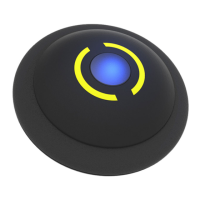


 General