About this printer
1 - 7
1
Printing methods
Printing on plain paper, bond paper and transparencies
You can print on plain paper, bond paper or transparencies from the paper tray or manual feed slot. For the
paper you want to use, see What kind of paper can I use? on page 1-4.
Printing on plain paper, bond paper or transparencies from the paper tray
Note
Do not put more than 10 transparencies in the paper tray, if you print on transparencies.
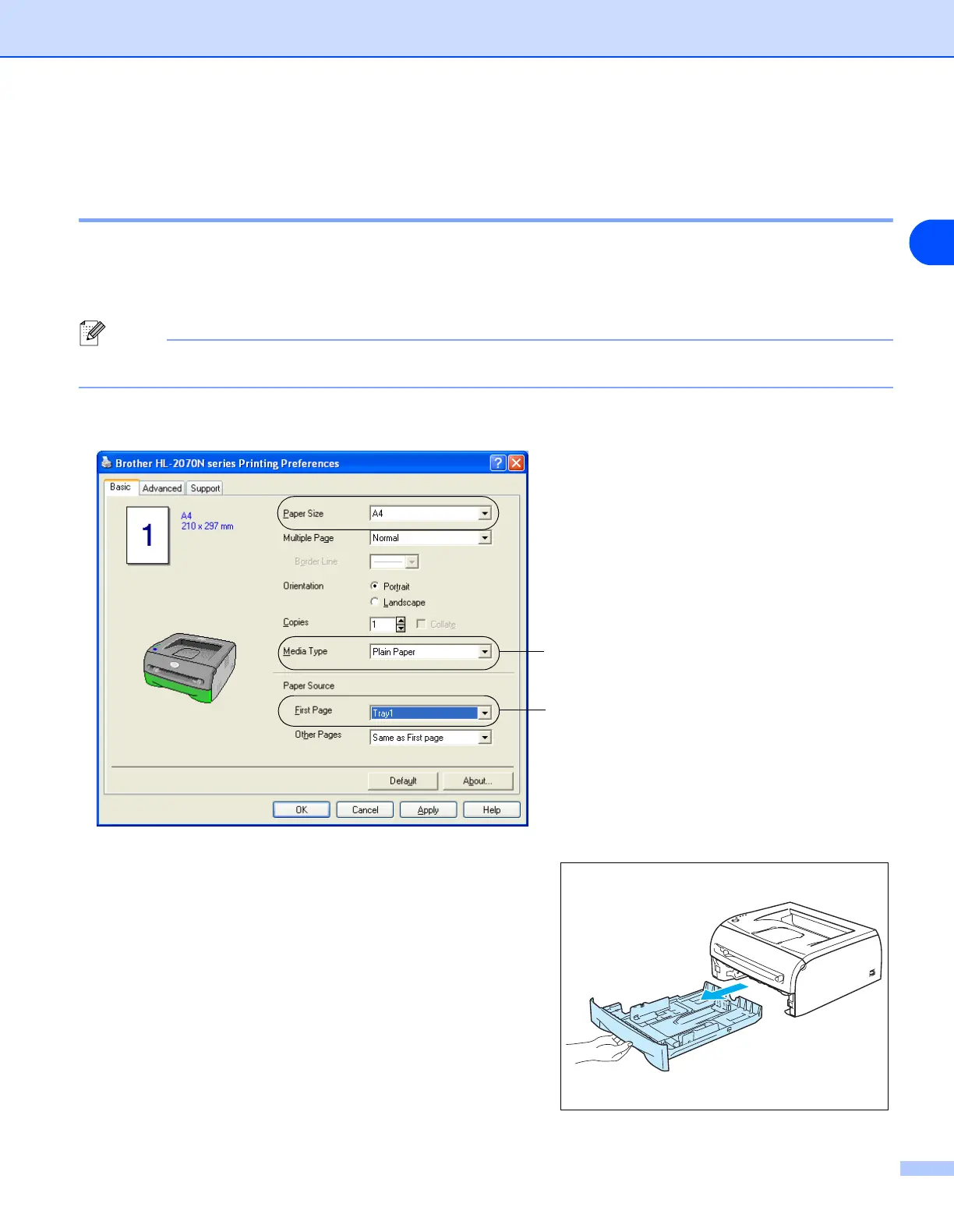
1 Select the Paper Size, Media Type, Paper Source and other settings in the printer driver.
2 Pull the paper tray completely out of the printer.
Select Plain Paper, Bond Paper or
Transparencies.
Select Tray1.


 To Next Page
 Loading...